
Contents
Quick Overview: Popl vs Dot (Side-by-Side)Popl OverviewDot OverviewPopl vs Dot: Where Each Platform Falls ShortWhere DBC: Digital Business Card Outperforms Popl and DotConclusionFAQPopl vs. Dot (2026): A Detailed Overview of Digital Business Card Platforms
More and more companies are following the digital business card trend and implementing it in their teams. Among the interesting solutions on the market are Popl and Dot. And if you are comparing them, it means you are looking for a solution that fits your company’s style.
In this article, I will help you do that by breaking down the main features of these companies, what users say about them on review platforms, and how their pricing works. To help you choose the right solution for your company, read until the end to compare Popl vs Dot and understand where these companies are strong and where they might not fully fit your use case.
Today, your referee is Valerii, and we’re getting started.
Quick Overview: Popl vs Dot (Side-by-Side)
Popl is a SaaS digital business card and lead-capture platform known for its robust feature set and enterprise support. It helps individuals and teams collect contacts, organize leads, and track performance, with NFC cards as an add-on to the platform.
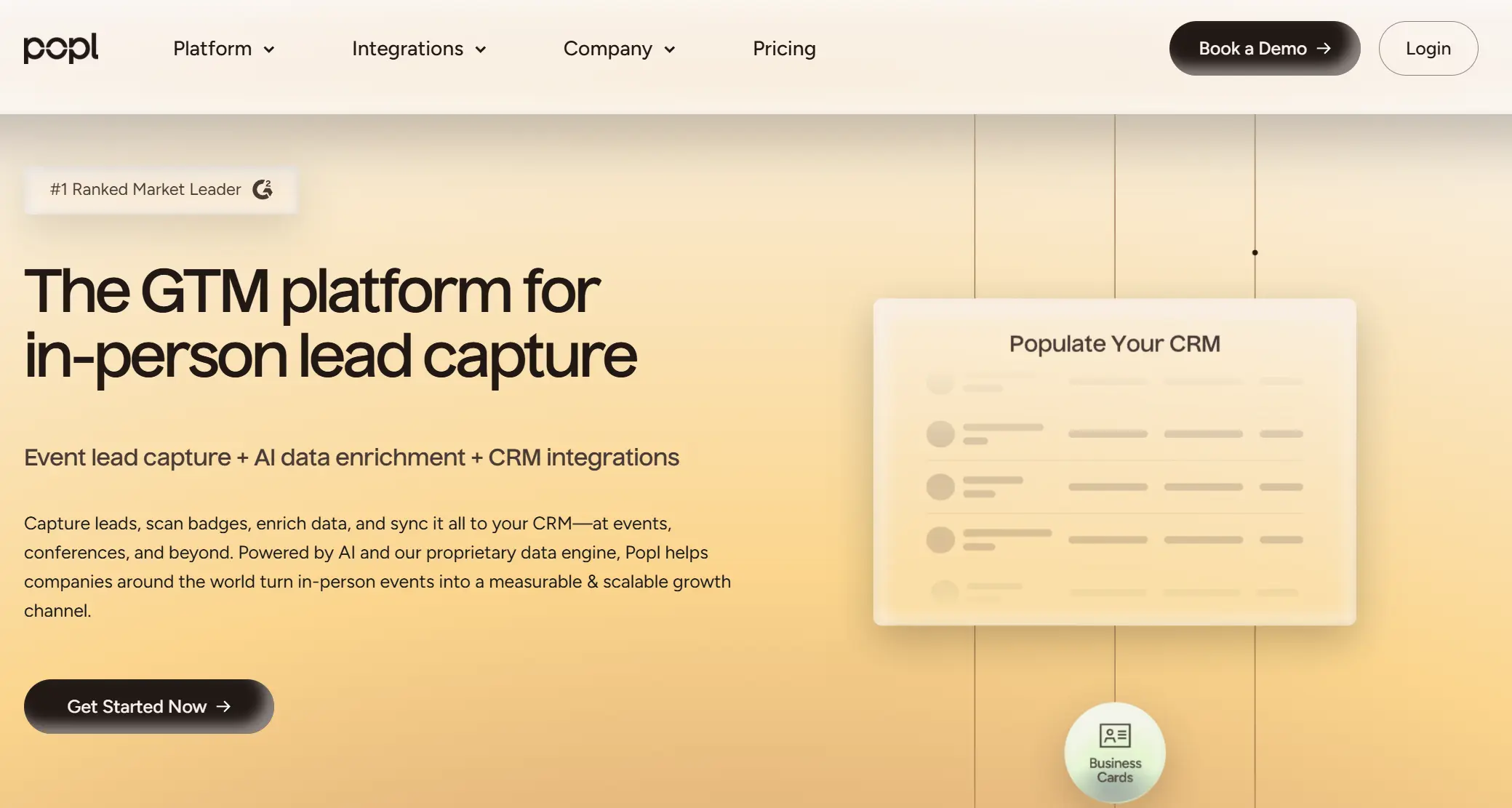
If you need advanced lead capture at trade shows, CRM integrations, and an admin console to manage dozens or thousands of digital cards, Popl was built for you.
Dot is a hardware digital business card brand focused on selling premium physical NFC products (cards, metal cards, wristbands) with simple profile pages. The platform supports the physical product, with upgrades (like Profile+) offered as paid add-ons.
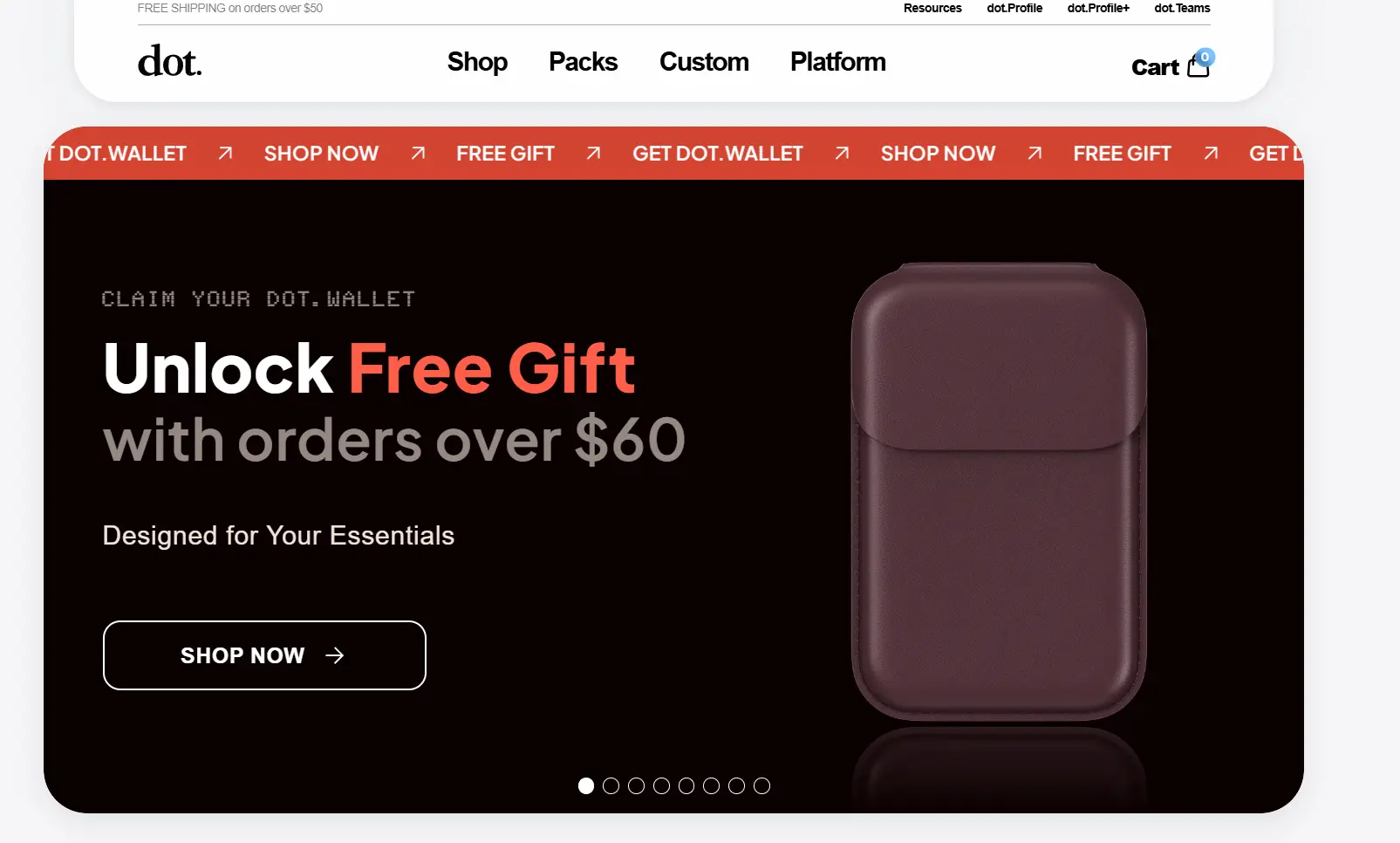
Ideal for solo professionals and small teams who prefer a simple card and sharing over software complexity.
Aspect | Popl | Dot |
|---|---|---|
Best features | 1) Lead capture forms 2) CRM sync + automations 3) Team management + analytics | 1) Simple tap-to-share 2) Profile themes + basic insights 3) Hardware variety (card, metal, band) |
Integrations | 1,000+ integrations via Zapier CRM options include: HubSpot, Salesforce, Microsoft Dynamics, Outlook, Azure, etc. | Limited integrations No native CRM sync Contacts export via CSV (manual CRM import) |
Ratings | Trustpilot: 4.1/5 (989 reviews) App Store: 4.8/5 (95K ratings) Google Play: 4.2/5 (15K+ reviews) G2: 4.6/5 Capterra: 4.7/5 | Trustpilot: 4.3/5 (900+ reviews) Amazon product reviews: often 4–5★ |
Customization | Profile branding + themes Multiple profiles/cards (paid) Remove Popl branding (paid) Enterprise: custom domain | Profile themes (large library) Dot branding is visible by default Profile+: remove Dot branding + more styles Custom hardware design (paid, bulk) |
Analytics & tracking | 1) Link taps + profile views 2) Lead + contact downloads 3) ROI/event tracking (teams) 4) Lead tagging/grouping | 1) Profile views 2) Contacts exchanged/downloaded 3) Link taps 4) Contact map (limited) Advanced insights require Profile+ |
Security | SOC 2 Type II (enterprise claim) GDPR support SAML SSO (Okta, Azure AD) | Standard web security (HTTPS) No SOC 2 / SSO claims in the main positioning Public profile URL model |
Ease of use | Easy for basic sharing More setup for teams/integrations | Very simple setup No app required for the recipient Occasional NFC compatibility issues |
Support | Email/chat support Enterprise/event support positioning Some complaints about billing/support response | Help center + email/chat Mixed feedback: good replacements, but slow/refund issues |
Scalability | Built for teams + enterprise Admin console, sub-teams Centralized billing + onboarding | Primarily individual use Teams exist, but are expensive per seat Limited enterprise admin depth |
Ability to share | 1) NFC 2) QR 3) Link 4) Apple Wallet / Google Wallet 5) Email signature / Zoom background | 1) NFC 2) QR 3) Profile link (browser) No wallet/app-first sharing layer |
Pricing | Free Pro: $7.99/month Pro+: $14.99/month Teams: custom pricing | Hardware: $20–$30 (plastic) $50 (metal) Profile+: $12–$15/month Teams: $15/user/month |
Popl Overview
Popl is a digital business card platform built to help sales teams and event organizations capture leads faster, automatically send them to a CRM, and measure networking performance across individuals, events, and members.
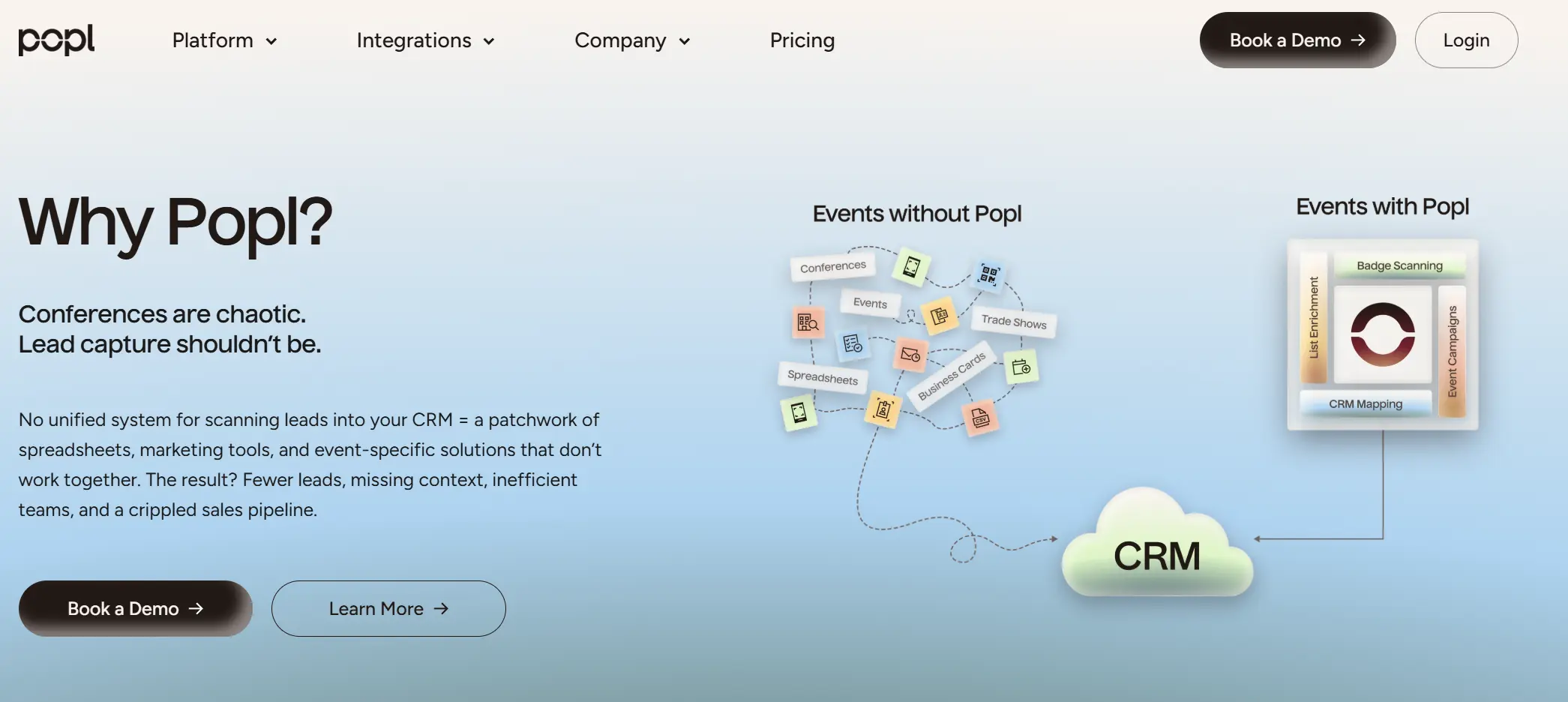
The platform has achieved decisive adoption across the U.S. market and has become one of the most visible brands in the digital business card category for individual professionals and business teams.
Popl’s Notable Achievements:- Over 2.5 million users worldwide across 150+ countries use Popl.
- The platform has more than 5,500 reviews on G2, with a 4.6/5 rating, indicating strong positive feedback among B2B users.
- 500,000+ installs on Google Play for the Popl Android app, with a high average rating (4.77/5) among reviewers.
Key Features
Here are the most crucial features that Popl offers for users.
1) Lead Capture Forms
Popl lets users collect contact details through lead-capture forms, turning quick meetings into potential leads. For sales teams, this is one of the biggest advantages because it makes event networking feel measurable.
2) CRM Integrations
Popl covers one of the crucial elements of digital business platforms: CRM integrations that automatically send leads to systems like HubSpot, Salesforce, and Microsoft Dynamics.
It also supports Zapier to eliminate one of the biggest problems in event networking: collecting leads and then losing them because nobody imports them later.
Users like Popl’s integrations because they reduce manual work and keep lead data structured and comfortable to work with.
3) Badge + Business Card Scanner
Popl adds to your arsenal badge scanning and business card scanning, designed specifically for conferences and trade shows. It allows anyone to quickly collect lead data instead of taking photos of business cards or typing details manually. Finally, you get all the information you have collected during the event in one place.
4) Analytics
Popl helps you understand how many times your profile was opened, which links people clicked, and whether your card is bringing in new opportunities.
5) Team Admin & User Management
Popl supports teams through centralized admin management, where companies can invite users, manage access, and standardize branding.
Teams can create branded templates, control which information appears on profiles, and manage users fast.
What Users Do Not Like in Popl
To be objective, I found a few Popl reviews on Capterra to see what users say and what stories they have with Popl. I was unpleasantly surprised when I read this.
Elijah G was Charged After Cancellation
Elijah G., a co-founder in IT services, describes a situation that should honestly never happen in a paid SaaS product. He tried Popl and even wanted to roll it out for his company, but then canceled the subscription when he decided not to upgrade. After that, he reports that Popl continued billing him anyway.
This is not a small annoyance. Billing issues after cancellation are the kind of problem that immediately kills trust because the customer did everything right, and the platform still took money.
So the fair question is: If Popl can’t reliably handle cancellation, how can users trust in their workflow?
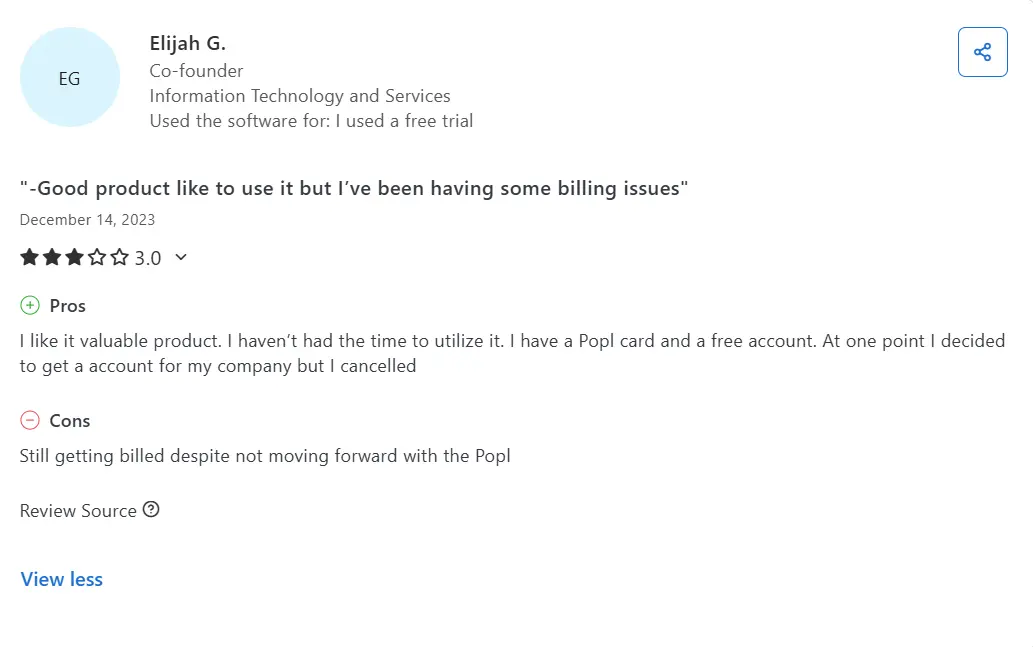
Even when teams like Popl’s concept, a single billing or cancellation issue can instantly destroy confidence, and nobody will listen to any explanation if the service keeps charging after cancellation.
Akaasha Z. Faced Reliability Problems
Akaasha Z., an owner in the health and wellness space, expected a simple setup from Popl, but the product didn’t reliably connect to her information, and even after Popl sent her two replacement cards, the setup still didn’t work.
This is the nightmare scenario for a digital business card. You’re paying for something that’s supposed to work, and in the exact moment you need it, it fails. At that point, Popl simply was not delivering its core promise.
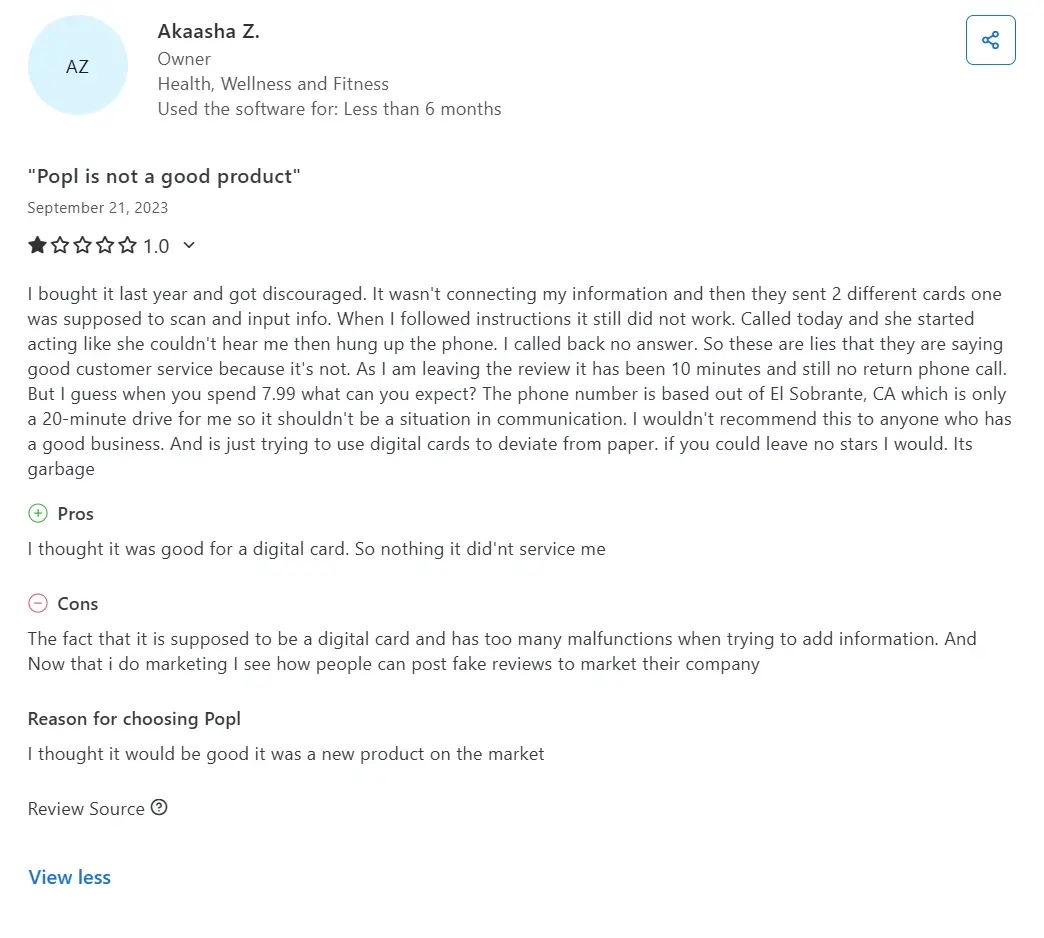
Some negative reviews describe deeper setup and onboarding failures where the system doesn’t work even when users follow instructions and receive replacement devices.
Joan B. Said the App Was Harder Than Expected
Joan B., a realtor, shared that Popl didn’t feel as user-friendly as she expected. In her review, she mentions that even finding and using the QR code wasn’t straightforward.
If it takes extra steps to access, Popl can slow you down at exactly the moment you need to move fast.
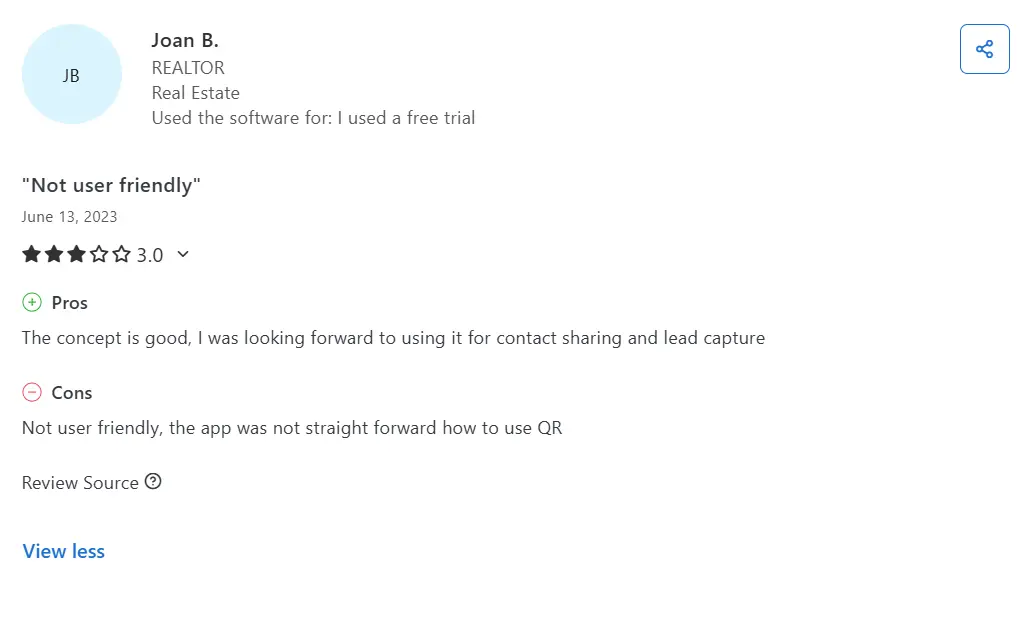
Some reviews reflect the same pattern: Popl offers a lot of functionality, but the app experience can feel less intuitive for users who just want quick sharing.
Sunny K. Felt the Pricing Was Hard to Justify
Sunny K. tried Popl through a free trial and described the product as easy to use, but noted pricing as the main downside. In their view, Popl becomes expensive quickly once you move beyond basic sharing.
For solo users, the value only feels if they actively use premium features like lead capture, integrations, and analytics.
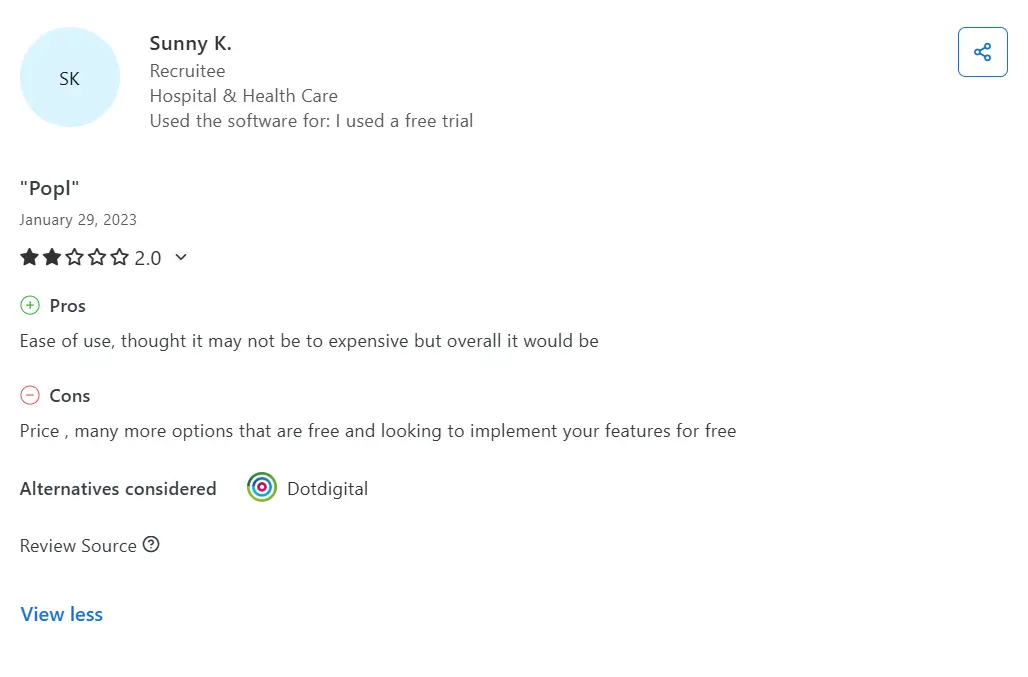
Some reviews suggest Popl’s pricing makes more sense for teams than individuals, especially when the user expects a simple NFC card.
Popl Pricing
Popl offers tiered pricing for individuals and business teams, with most B2B value unlocked in the paid plans.
Free- Create a basic digital business card.
- Share via QR code and link.
- $6.49/month (billed annually).
- Adds advanced individual features and stronger profile customization.
- $11.99/month (billed annually).
- Unlocks additional lead capture and engagement features.
- Custom pricing.
- Built for team rollouts, events, admin controls, and CRM-driven workflows.
Popl hardware (cards, tags, and other accessories) is typically purchased separately.
💰 Want the full breakdown? Check our Popl Pricing and understand the key pitfalls B2B teams should be aware of.
Dot Overview
Dot is a digital business card brand built around a physical NFC device that instantly opens your profile without requiring the other person to install an app.
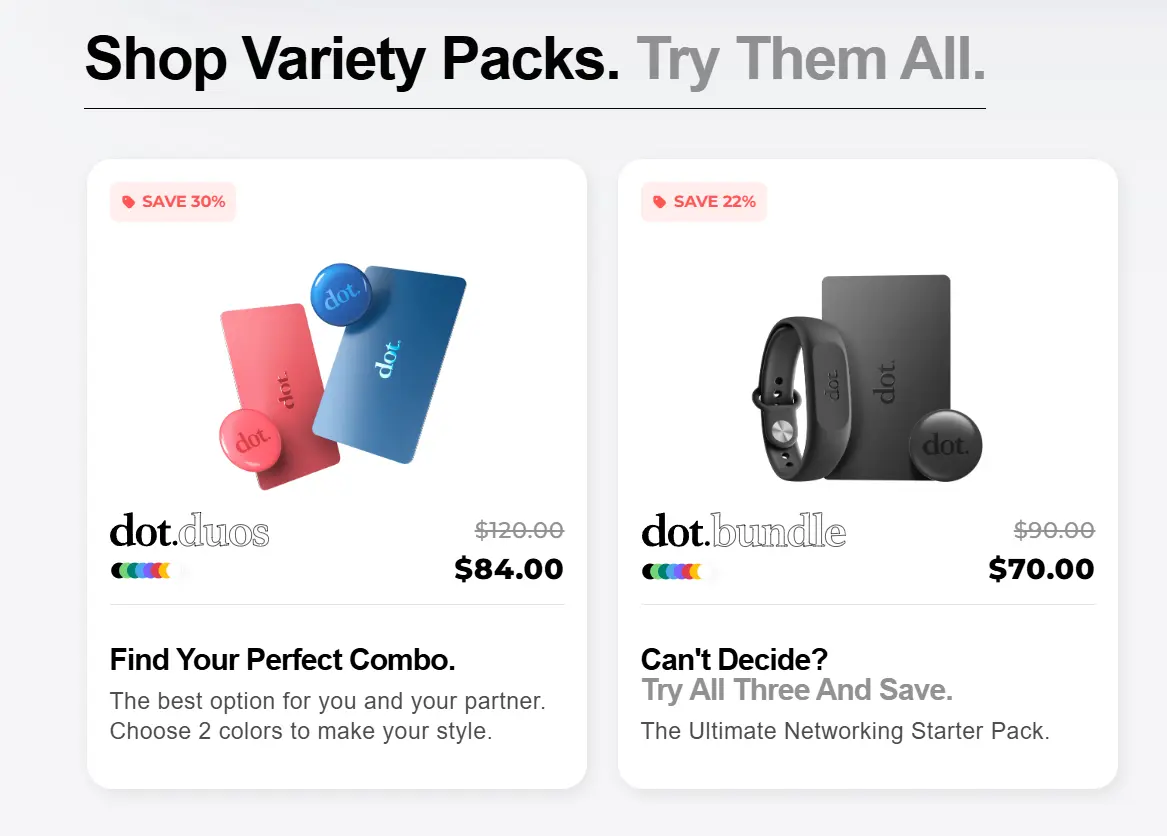
Unlike Popl, Dot prioritizes hardware and is designed for individual professionals who want a plug-and-play way to share contacts through a digital card, wristband, or other NFC accessory.
Overall, Dot has built a strong consumer reputation and is now one of the best NFC business cards, widely mentioned on e-commerce and consumer review platforms.
Product Line & Solutions
- dot.card/dot.thin: Standard plastic NFC business cards.
- dot.metal: A heavier metal NFC card (steel or aluminum). It looks premium but costs more. It's aimed at those who want a luxury business card.
- dot.band: A silicone wristband with embedded NFC. Good for event networking where you want hands-free sharing. dot.band 2.0 has dual NFC modules for better read reliability[29].
- Other Accessories: Dot sells phone holders and custom NFC tags. They also promote bulk packs and “free custom devices” for large team orders.
- Dot Profile Platform: Every device links to a dot.Profile – a web page where you fill in your name, job title, contact details, bio, social links, etc. Dot.Profile is included free. The interface lets you add unlimited links and even collect payments. There’s also a dot.Pay feature to request money. The free profile offers basic theming and contact download.
Key Features
Here are the most crucial features that Popl offers for users.
1) Tap-to-Share NFC Devices
Dot’s strongest advantage is an extremely simple flow, thanks to physical cards, wristbands, and accessories that let you share your profile in seconds. Users like Dot cards because they feel closer to a traditional business card but stay digital.
2) dot.Profile Pages
Every Dot device connects to a dot.Profile page where users store their contact info and links. The key benefit is that users can update their profiles at any time, so the same card stays valid even when their role, phone number, or company changes.
3) QR Code Backup Sharing
Dot includes a QR code as a simple backup sharing method, so you are not relying on NFC alone. If tap-to-share fails, the other person has NFC disabled, or the phone model behaves inconsistently, you can still share your profile instantly by showing a QR code. It removes awkward pauses and prevents lost contacts. For teams, QR codes serve as a consistent “Plan B” for all members, especially during events.
4) Profile Customization
Dot has theme customization inside dot.Profile, letting users personalize their digital card. Free users get access to a large theme library, while Profile+ unlocks more styles and branding control. Users like Dot’s customization because itis easy to set up and looks good without extra effort.
5) Profile+ Upgrade
Dot uses the Profile+ subscription, which adds premium customization options, upgraded profile features, and more advanced insights. Users like the concept of Profile+, but many complaints around Dot are specifically connected to subscription billing and refund handling.
What Users Do Not Like in Dot
Here are some reviews that show where Dot didn't satisfy users.
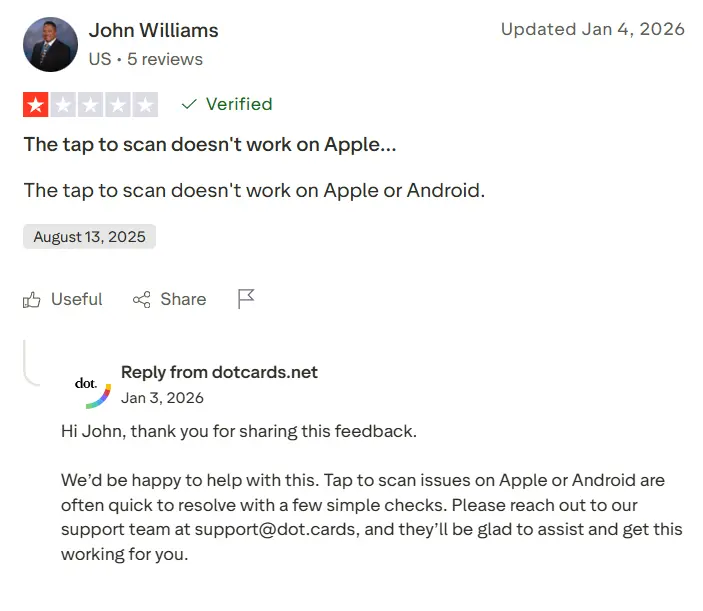
John Williams Was Charged and Couldn’t Get a Refund
John Williams says he was charged in a way he didn’t expect, and when he tried to resolve it, he felt completely unsupported. The issue is not just the money — it’s the feeling that the system is designed to lock you in, and once you’re charged, you’re on your own.
This is where Dot stops being a simple NFC card and starts looking like a trap. You buy a physical product expecting a one-time purchase, only to suddenly face subscription billing, refund denials, and a support experience that leaves you stuck. For a business buyer, this is the fastest way to lose trust in the brand.
Rossella Bardile Received a Metal Card That Looked Cheap
Rossella Bardile ordered a custom metal Dot card, expecting a premium product. Instead, she says the card arrived looking poor, and the branding also looked like a sticker instead of real customization.
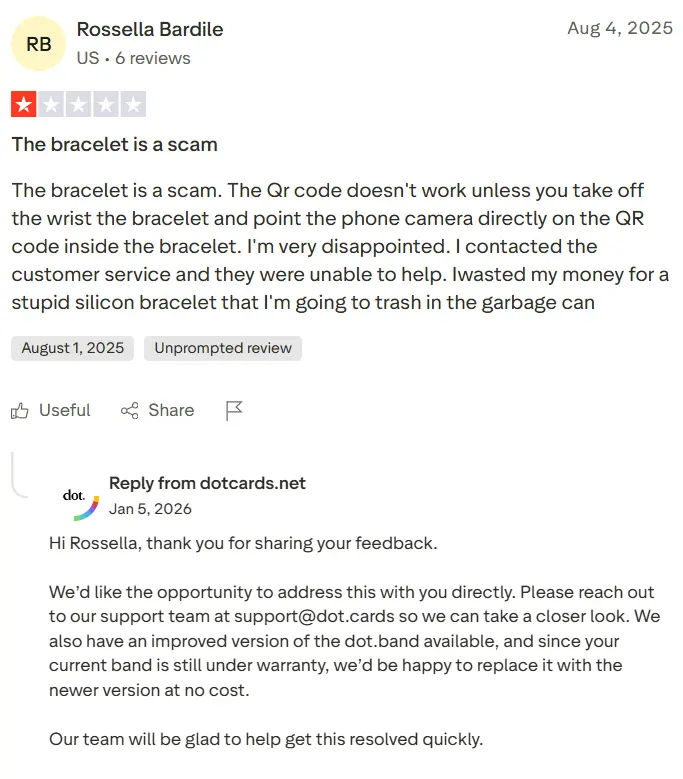
Some negative reviews describe similar issues with Dot’s custom metal cards, including poor finish, wrong branding, and long production times.
This is one of the worst outcomes Dot can deliver. If their premium product looks cheap, the entire purchase feels like a rip-off.
Jack Jill Paid for One Product and Received a Different One
Jack Jill describes a basic failure of fulfillment. They paid for a metal card but received a different product, which immediately eroded confidence in the company.
If Dot ships the wrong device, the customer experience breaks before the product is even activated.
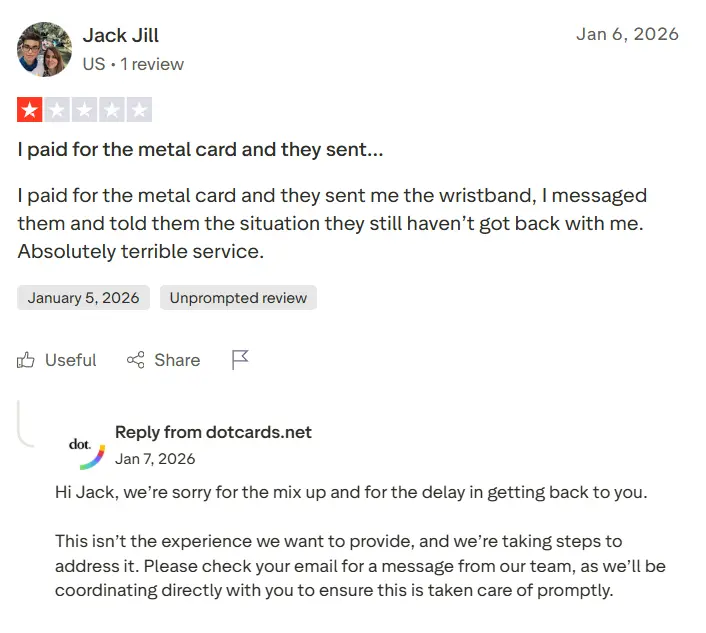
Some negative reviews describe similar shipping mistakes, long waits, and support conversations that do not result in a clear resolution.
Nate Ng Said the Card Felt Cheap and Didn’t Hold Up
Nate Ng’s review focuses on a different issue, but it hits just as hard. He describes Dot as of poor quality and says the product did not feel durable enough for the price.
This complaint is brutal because Dot is a physical product first. If the card scratches, bends, or feels like cheap plastic, the buyer immediately questions what they actually paid for. At that point, Dot stops feeling like a premium networking tool and starts feeling like a bad e-commerce purchase.
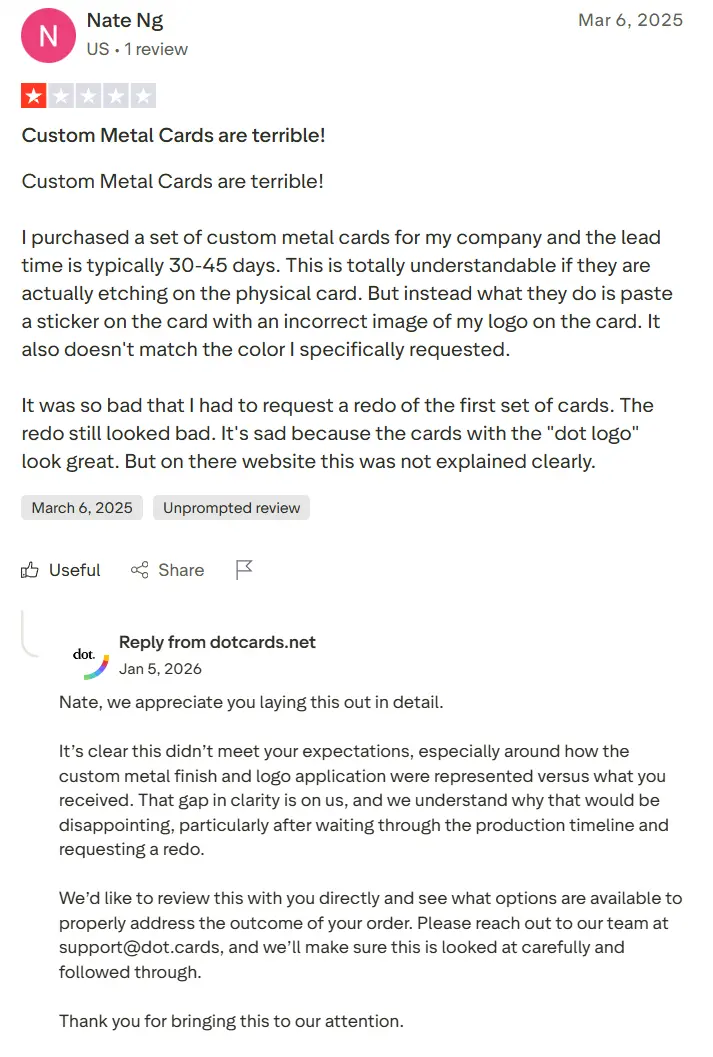
Some negative reviews describe similar durability issues, including scratches, wear, and a sense that the product does not live up to its premium positioning.
Dot Pricing
Dot uses a hardware pricing model. Most users start with a one-time device purchase and can optionally upgrade to Profile+ for premium profile features.
Hardware (One-Time Purchase)- $30 for a standard plastic dot.card, or dot.band.
- $50 for a dot.metal.
- Custom devices cost more (custom plastic dot.card $55, custom metal $99).
- Orders over $50 ship free.
- Every Dot device includes lifetime access to dot.Profile.
- Basic profile editing and contact sharing are included.
- No subscription is required to share your card.
- $15/month.
- $144/year.
- Unlocks premium themes, advanced exports, AI resume scanning, and removes Dot branding.
- Custom pricing.
- Built for companies ordering devices in bulk and requesting custom hardware.
- There is no clearly separated “team software plan” published like Popl. The main cost driver is the number of devices and Profile+ upgrades the team buys.
Dot devices (cards, bands, metal cards, and accessories) are purchased separately as hardware.
💵 Want the full picture? Check our Dot Pricing guide for a full breakdown of devices, Profile+ upgrades, and the subscription pitfalls business buyers should be aware of.
Popl vs Dot: Where Each Platform Falls Short
Insert a table with a comparison like this:
Features | DBC: Digital Business Card | Popl | Dot |
|---|---|---|---|
Team rollout and governance | ✅ Admin templates as source of truth ✅ Field locking and controlled editing ✅ Centralized onboarding and offboarding ✅ Roles and access control | ✅ Admin templates as source of truth ❌ Field locking and controlled editing ✅ Centralized onboarding and offboarding ✅ Roles and access control | ❌ Admin templates as source of truth ❌ Field locking and controlled editing ❌ Centralized onboarding and offboarding ❌ Roles and access control |
Activation control | ✅ Invite status tracking for admin ✅ Activation required to get a ready card ✅ No users stuck without a working card | ❌ Invite status tracking for admin ❌ Activation required to get a ready card ❌ No users stuck without a working card | ❌ Invite status tracking for admin ❌ Activation required to get a ready card ❌ No users stuck without a working card |
Lead capture and CRM workflow | ✅ Lead capture forms ✅ Badge and business card scanning ✅ CRM sync and structured lead delivery ✅ No manual export dependency | ✅ Lead capture forms ✅ Badge and business card scanning ✅ CRM sync and structured lead delivery ❌ No manual export dependency | ❌ Lead capture forms ❌ Badge and business card scanning ❌ CRM sync and structured lead delivery ✅ No manual export dependency |
Events and performance measurement | ✅ Leads tied to team members ✅ Leads tagged by events and campaigns ✅ Campaign tracking ✅ Event ROI logic | ✅ Leads tied to team members ✅ Leads tagged by events and campaigns ✅ Campaign tracking ❌ Event ROI logic | ❌ Leads tied to team members ❌ Leads tagged by events and campaigns ❌ Campaign tracking ❌ Event ROI logic |
User pain points covered | ✅ Billing clarity designed for teams ✅ Predictable reliability and onboarding ✅ Admin system reduces chaos at scale | ❌ Billing clarity designed for teams ❌ Predictable reliability and onboarding ❌ Admin system reduces chaos at scale | ❌ Billing clarity designed for teams ❌ Predictable reliability and onboarding ❌ Admin system reduces chaos at scale |
Where DBC: Digital Business Card Outperforms Popl and Dot
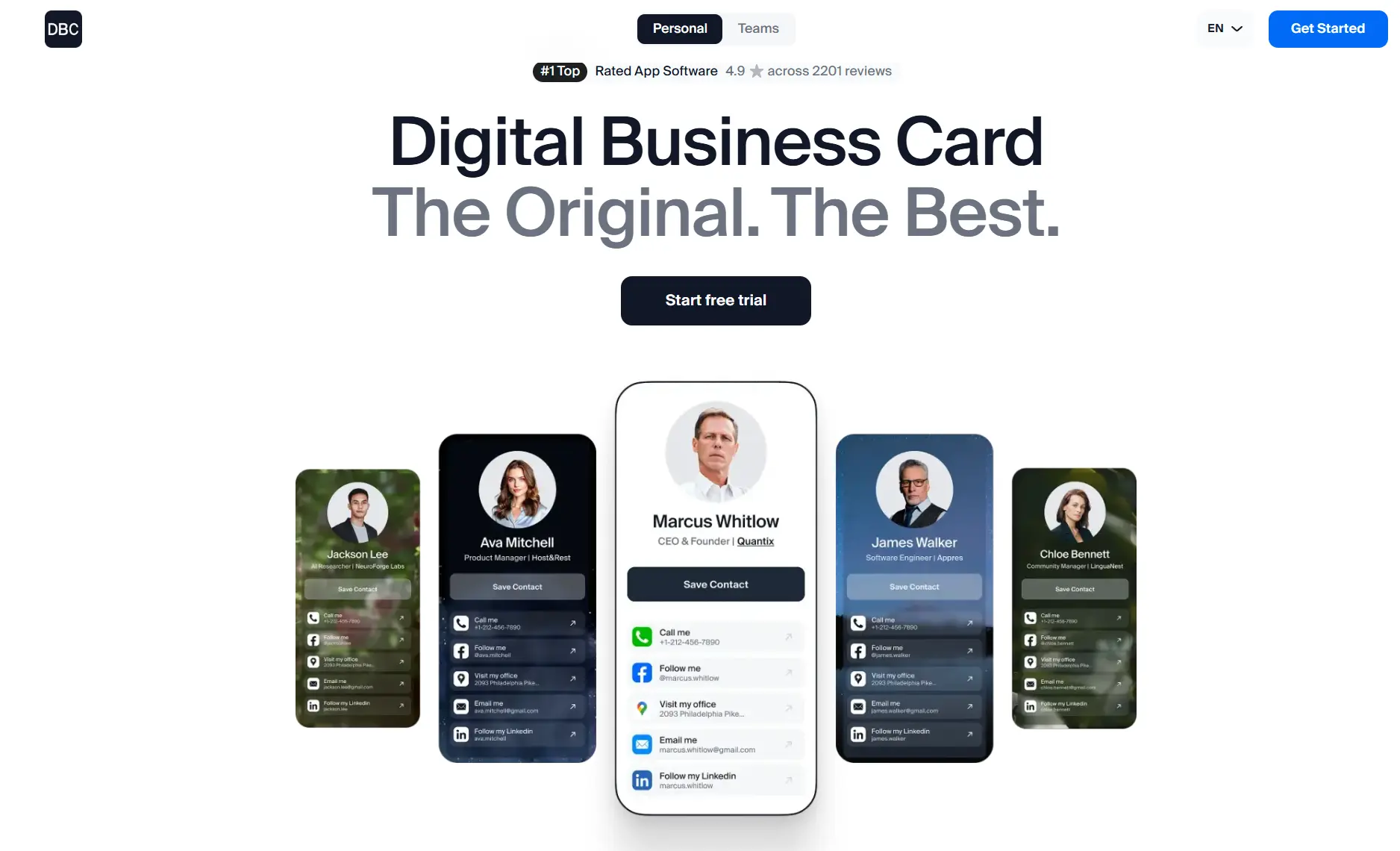
In the table above, we see that Popl and Dot have problems in different areas. I want to show you how DBC eliminates them and why our platform should become an indispensable part of your networking.
1) DBC Keeps Billing Predictable and Transparent
DBC believes it is unacceptable for a customer to lose money due to billing issues! If someone tries the product and later decides not to continue, we do not allow situations in which they are charged after cancellation or pay for something they did not intend to buy.
We developed a pricing model so clients can buy a single subscription and get everything they need for professional networking, including lead capture, virtual backgrounds, email signatures, and event performance tracking.
2) DBC Will Never Let You Down in the Most Important Moment
In DBC, reliability is fundamental to our product. We do not allow situations where something does not work at the exact moment you need it.
Unlike Popl and Dot, where users report cases when cards do not connect or sharing fails, we regularly test our tool at conferences and live events, and collect user feedback to ensure such situations do not happen in DBC.
3) DBC Is Easy to Use for Anyone
We created an app that is easy to use for anyone. You do not need to go through heavy flows or complicated setup screens that Popl shows before you get started.
When you enter DBC for the first time, you already have a ready digital business card within 2 minutes that you can share and use. You do not get lost in the system, you do not guess where your QR code is, and you do not spend time trying to understand how things work.
Everything is built to be simple, fast, reliable, and clear.
4) DBC Offers the Most Advantageous Pricing Model
DBC offers one of the most straightforward pricing models in the digital business card market.
Individual plans are paid from day one — $6.99 per user/month, billed annually — and every platform feature is included in that price, with nothing gated behind an upgrade. Teams get a 30-day full trial on the Business plan ($4.99 per card/month, billed annually), so an organization can run DBC in the field for a month before committing.
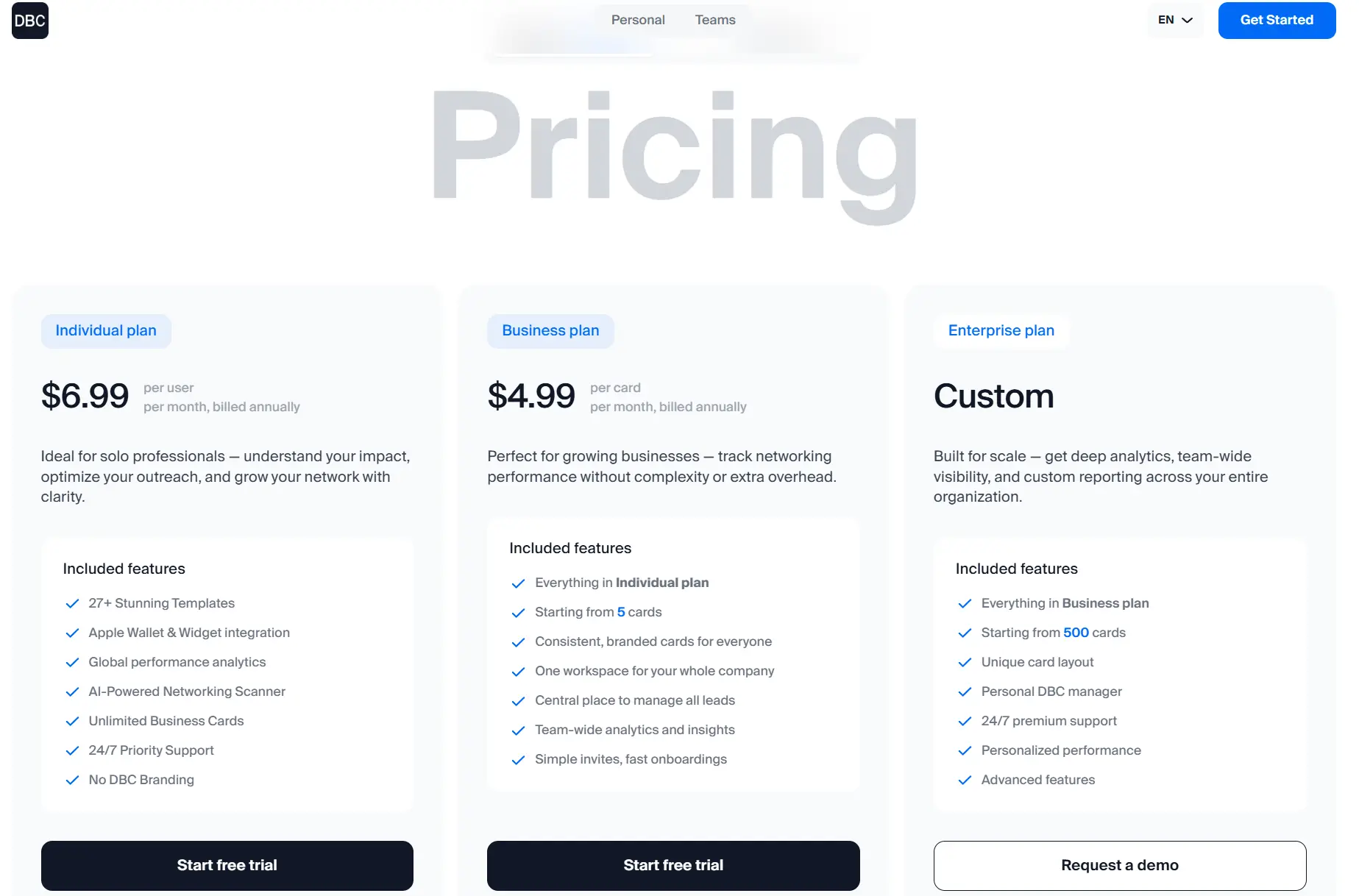
We do not split core features into confusing add-ons. We do not require hardware purchases to unlock the product. We do not push users into layered upgrades to access essential tools. With DBC, you buy one subscription and get the full system for networking, event tracking, email signatures, performance analytics, and team management.
Our pricing is transparent, predictable, and especially affordable for teams on annual plans. You know exactly what you're paying for, and you get the full product without hidden limitations.
5) DBC Is Built for Scaling Companies
Many platforms can support a team of 50 or even 100 users. The problem starts when you grow to 500 or 1,000 people, and you still need everything to stay manageable for the admin and simple for every employee.
When a company scales, you need a system that keeps cards consistent, onboarding predictable, offboarding controlled, and updates centralized, so your team does not slow down because the tool becomes harder to manage.
DBC is built to scale with you, so growth doesn't create chaos, and your team keeps moving fast.
6) DBC Makes You Look Professional and Unique
DBC did not decide to create one template and put everyone into it.
We create unique design templates so your cards look distinctive and professional. For teams, we build custom solutions that create the feeling of entering your company when someone opens the card.
Professionals choose DBC as we focus on branding, presence, and the impression your company leaves.
Conclusion
If you’re choosing between Popl and Dot, the first thing you need to understand is the conceptual difference between the two platforms.
Popl is built primarily around event networking and lead capture, but it can feel overloaded, and its pricing model often requires upgrading or adding paid features to unlock full functionality.
Dot is centered on physical NFC business cards, so if your company prefers traditional business cards and wants a simple tap-to-share solution, Dot is a good fit. But hardware models also introduce inconsistent user experiences reported by customers.
So which platform is close enough to your style that you are willing to accept its trade-offs?
Or is there a solution that eliminates those trade-offs entirely?
Yes, and you can check it on the DBC: Digital Business Card for Companies page. Here you will learn how DBC differs conceptually from platforms like Popl and Dot, and why enterprise companies choose DBC over them.
Digital Business Cards are a future trend of modern sales and networking infrastructure. So do not wait until your competitors implement it and make more money. Be the one who understands modern realities and solutions before it’s too late. Thank you for reading, and good luck with your networking!
FAQ
Popl vs Dot: which one actually makes more sense for your business?
Does Popl feel too complex for simple networking?
What do users complain about most with Popl and Dot?
Why do some companies move from Popl or Dot to DBC?
Popl vs Dot: Which platform gives you better ROI tracking?

A content writer with over 8 years of experience creating analytical content for digital products and B2B SaaS companies. His work focuses on practical guides, pricing breakdowns, and comparisons that help teams evaluate costs, features, and differences between tools.
Your first impression decides everything
- Look professional and build trust instantly
- Forget about reprints and lost contacts
- Update your details anytime
 Get Started Today