
Contents
Step 1: Install a Card App from Google PlayStep 2: Build Your Card in the AppStep 3: Add It to Google WalletStep 4: Share It the Android WayWhat This Looks Like on DBCConclusionFAQHow to Create a Digital Business Card on Android (2026)
To create a digital business card on Android, install a card platform’s app from Google Play — or open the platform in Chrome, which builds the same card on the same account. Enter your name, role, photo, and the ways to reach you, and the card publishes to a permanent link with its own QR code. Drop the card into Google Wallet so the QR waits one swipe away, then pass it on by QR scan, by link, or through the Android share sheet. Whoever receives it installs nothing and signs up for nothing — any phone with a browser can open it.
Android gives you more company than any other platform on earth: 68.36% of the worldwide mobile-OS market runs Android as of July 2026, per StatCounter — and even in the iPhone-leaning United States it still powers 40.39% of phones. Yet almost every card-app how-to is written next to an App Store screenshot. This one isn’t: it covers the Google Play install, the Google Wallet pass, and the Android share sheet, in that order.
The platform-neutral groundwork stays out of your way here. The prep checklist, the platform-vs-design-tool decision, and the testing routine belong to the hub — how to make a digital business card — and the definition sits in what a digital business card is. Holding an iPhone instead? That platform has its own walkthrough: how to create a digital business card on iPhone.
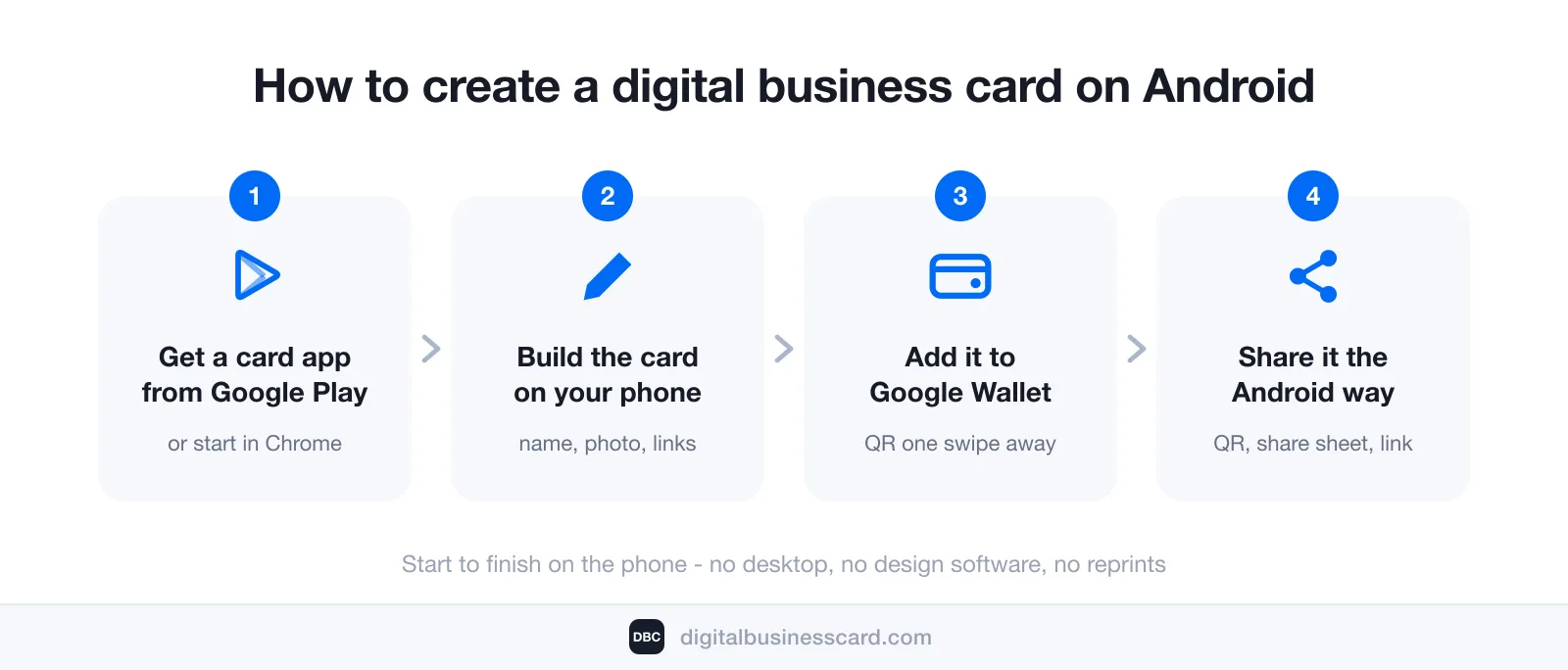
Step 1: Install a Card App from Google Play
Android offers two ways in. Way one: install the card platform’s app from Google Play. Way two: skip the install and work in Chrome — the account, the card, and the permanent link come out identical either way. What the install buys you is the phone-native layer: the app issues your Google Wallet pass, turns the camera into a scanner for the paper cards people still hand you, and shows your card’s analytics right on the phone, with no browser login between you and the numbers.
Thirty seconds of vetting on the Play listing saves a re-do later:
- The “Updated on” date. Play prints it on every listing. A card app touched this month is being maintained; one abandoned for two years will eventually break under a new Android release — and take your card’s home down with it.
- A wallet pass in the feature list. If neither the listing nor the platform’s site mentions Google Wallet, your QR will live inside an app you have to find, unlock, and open every single time.
- Nothing asked of the receiver. The platform should say outright that scanning your card requires no app. Every install you demand of a stranger is a contact that never gets saved.
Since we ship one of these apps ourselves, here is our listing as a concrete check: DBC: Digital Business Card on Google Play, published by DigitalBusinessCard.com, free to install, last updated on August 3, 2026 — passing the maintenance test we just set. The account you create there also opens digitalbusinesscard.com in Chrome, so either door leads to the same card.
Ten minutes here retires an expensive habit. Research collected by QR Tiger counts over 8 billion printed business cards thrown out every year, with 88% discarded within a week of changing hands. A card that lives at a link leaves nothing to throw away.
Step 2: Build Your Card in the App
Create your account and fill in who you are: name, role, company, a single phone number, a single email, and a handful of links that show your work — three to five is the sweet spot. Why a single number beats a directory of them is argued once in the main guide; here it’s enough to follow the rule.
The phone does more of this step on Android than you’d guess. Gboard offers your own number and email the moment a field asks for them, closing off the most humiliating failure a business card can suffer — a typo in your own details. Your headshot is a two-tap import from Google Photos; crop it square first. When the card is live, run the recipient’s test: tap the number listed on it and let the dialer prove the button works. A live card turns every line into a button — press each one before a stranger does.
Step 3: Add It to Google Wallet
A card you have to dig for doesn’t get shown. The Wallet pass fixes that: your platform issues a pass carrying your QR code, and it sits in the Google Wallet app ready to display — with or without a signal, which matters in the rooms where networking actually happens: convention-hall basements, planes, badge queues.
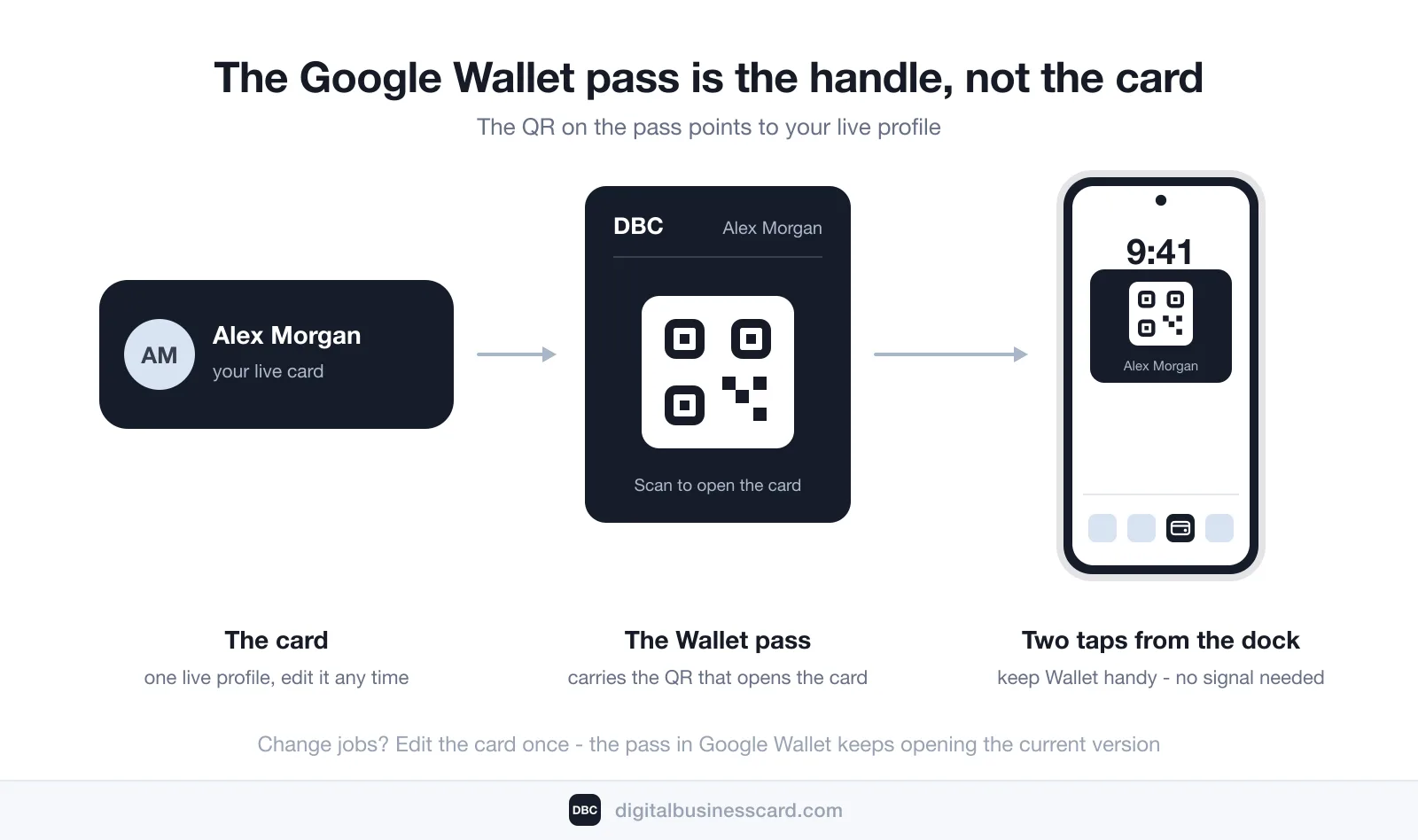
Treat the pass as a pointer, not a copy. Its QR opens your live profile, so a job change means editing the card once — the pass keeps resolving to the current version, with nothing to reissue and nobody to re-send to.
One honest difference from the iPhone flow: iOS has a single gesture — a side-button double-click — that summons Wallet on any recent iPhone. Android has no universal equivalent, because lock-screen shortcuts vary by manufacturer. The fix is a habit rather than a setting: keep Google Wallet (or your card app) in the home-screen dock, and your QR is two taps away on any Android device, Pixel or Galaxy alike.
Step 4: Share It the Android Way
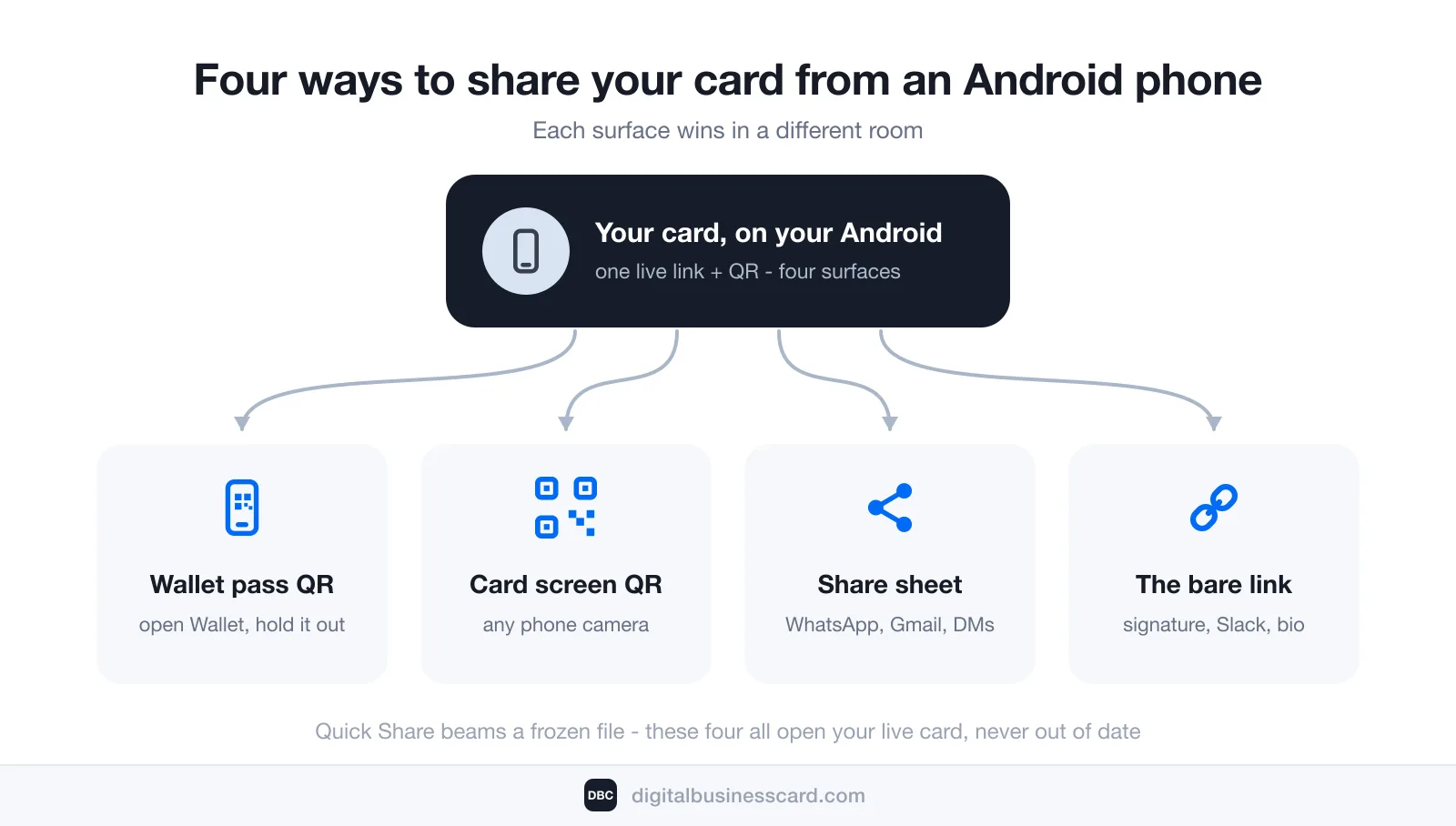
Four sharing surfaces, ranked by the room you’re standing in:
- The Wallet pass QR — the event surface. Open Wallet, hold the pass up, they scan. Works without signal on your side and without an install on theirs.
- The QR on the card itself — the universal surface. Any camera reads it — Android, iPhone, or a conference badge scanner — and the card opens in whatever browser is on the other end. Size, contrast, and print rules for the code live in our guide to the QR code for a business card.
- The share sheet — the conversation surface. Android’s system share sheet drops your card’s link into WhatsApp, Messages, Gmail, or a LinkedIn DM in two taps. Put the same link in your email signature and it keeps introducing you after hours.
- The bare link — everywhere else text goes: a Slack intro, a bio field, a calendar invite.
And the NameDrop question, answered for Android: Quick Share is the closest equivalent, and it’s excellent at what it actually does — moving files between nearby devices. But a file is frozen the moment it’s sent; beam someone a vCard today and it goes stale the day you change roles. For business, lead with the QR or the link — both open the live card, which is never out of date.
What This Looks Like on DBC
A note on where we stand: DBC: Digital Business Card is our product, and this walkthrough is its Android flow described from the inside. Install from Google Play or begin at digitalbusinesscard.com in Chrome — the account is shared. Choose a design-first template, enter your details, and the card publishes to its permanent address with a QR attached; the app then issues the Google Wallet pass, matching the site’s promise of Apple and Google Wallet support.
Two additions exist because handing out a card is half the job: two-way contact exchange, which captures who you met rather than only broadcasting who you are, and analytics on views and saves that show which conversations turned into kept contacts. The camera scanner finishes it — paper cards you receive become saved contacts in seconds, retiring the habit from both directions.
Conclusion
Every step of this guide fit on one device. The platform came from Google Play (or Chrome), the card was assembled where your photo and numbers already were, Google Wallet took the pass, and the sharing surface adjusted to the room. What you built keeps updating for as long as your career moves.
The market agrees on the direction: Mordor Intelligence tracks digital business cards growing from $217.04 million in 2026 to a projected $331.78 million by 2031, while QR Tiger puts card-app adoption at 37% among small businesses and 23% among individuals. The only tool the switch needed was the Android phone already in your hand.
FAQ
Does Google have a digital business card?
Can I create a digital business card on Android without installing an app?
Should I use the Google Wallet pass or just send my contact file?
Can iPhone users open a digital business card made on Android?
How much does a digital business card cost on Android?

A content writer with over 8 years of experience creating analytical content for digital products and B2B SaaS companies. His work focuses on practical guides, pricing breakdowns, and comparisons that help teams evaluate costs, features, and differences between tools.
Your first impression decides everything
- Look professional and build trust instantly
- Forget about reprints and lost contacts
- Update your details anytime
 Get Started Today