
Contents
Which Example Fits YouWhat to Include in an Email Signature (and What to Leave Out)Professional and Corporate Email Signature ExamplesSales Email Signature ExamplesReal Estate Email Signature ExampleFreelancer and Creative Email Signature ExamplesCollege Student and New Graduate Email Signature ExamplesSimple and Personal Email Signature ExamplesEmail Signatures With a Photo or a BannerA Mobile-First Email Signature ExampleEmail Signatures With a Digital Business Card Link or QR CodeEmail Signature Format Rules: Length, Fonts, Images, Dark Mode and MobileLegal Lines: When a Signature Must Carry Company DetailsHow to Add a Signature in Gmail, Outlook and Apple MailSign-Offs: The Line Above Your SignatureRolling Out One Signature to a TeamFAQEmail Signature Examples: 16 Templates by Situation
A good email signature has three to six short lines: your name, your job title and company, one phone number and one link, such as your website, a booking page or a digital business card. Add a legal line only if your company or country requires one, keep any image under 100 pixels high, and make sure every detail is still readable as text when images are blocked. For example: Maya Chen · Senior Financial Analyst, Corporate Finance · Harborline Logistics · +1 (312) 555-0142 · harborline.example.
Below are 16 complete signatures grouped by situation: corporate, sales, real estate, freelance, student, plain text, with a photo, with a banner, mobile-first and with a digital business card. Each one comes as a picture and as text you can copy, with who it fits and what it gets right. The people and companies are invented, and none of the signatures was made in a signature generator, so all of them paste into Gmail, Outlook or Apple Mail. After the gallery come the format rules (length, fonts, image sizes, dark mode, mobile) and the legal lines some companies must carry, with a source for each.
Which Example Fits You
If you are… | Start with | The one thing it gets right |
|---|---|---|
An employee at a mid-size or large company | 1. Standard corporate | Name, role, company, one contact line, nothing else |
At a UK limited company or a German GmbH | 2. UK company with legal footer | Required company details in a small footer |
In sales or account management | 3. Booking link, 4. One-line reply | One call to action; a short signature on replies |
A real estate agent | 5. Real estate | "Call or text" first, license line separate |
A freelancer or consultant | 6. Designer, 7. Consultant | Portfolio first; time zone and reply time |
A student or a new graduate | 8. College student, 9. New graduate | Degree and year; the role you are looking for |
Someone who wants it simple, or writing from personal email | 10. Plain text, 11. Personal | Three lines that look the same everywhere |
In a business where people buy from a person | 12. With a photo | A face, with every detail still in text |
Promoting an event or a launch | 13. With a banner | A dated banner with a text line under it |
Mostly on a phone, or writing to people who are | 14. Mobile-first | One column, labelled tap targets |
Someone with more details than four lines can hold | 15. Card link, 16. Team signature with QR | The card holds the rest and stays current |
What to Include in an Email Signature (and What to Leave Out)
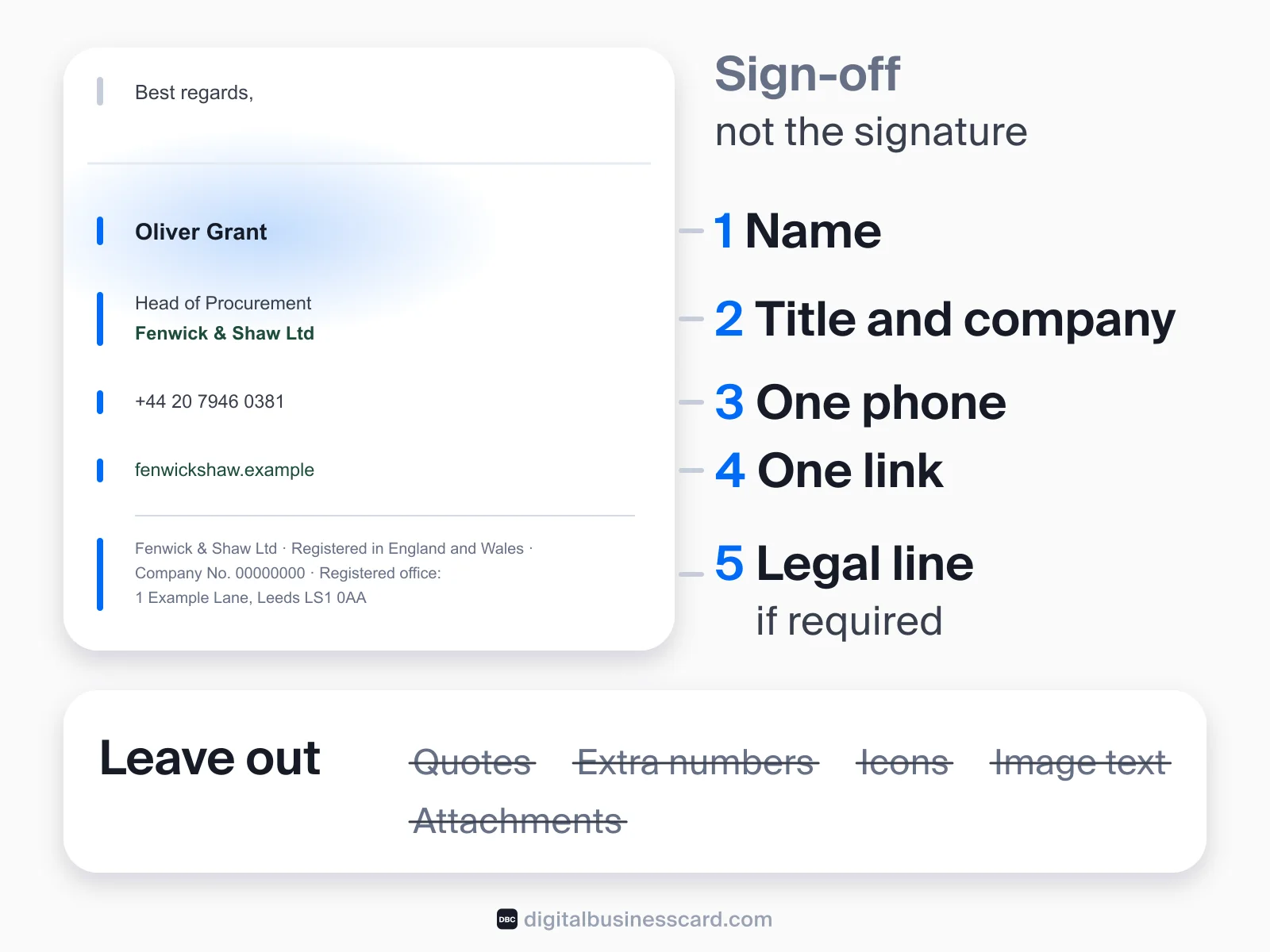
A signature answers two questions: who is writing, and how can I reach them. Anything that does not help answer one of those competes with the parts that do. In practice that leaves five layers:
- Your name, written the way you want to be addressed. Pronouns are optional.
- Your role: job title and company, or degree and school if you are a student. Add the department if colleagues need it to route questions.
- One phone number. Add a label ("mobile", "call or text") if it is not obvious which number it is.
- One link: the company website, a portfolio, a booking page or a digital business card. Pick the one you most want people to open.
- A legal line, only if your company or country requires one (see the legal section below).
What to leave out, and why:
- Inspirational quotes. They say nothing about how to reach you, and the reader will see the same quote under every email you send. Dartmouth's communications office, one of the top results for this search, lists quotations among the things its staff signatures should not include.
- A second and third phone number, a fax line, and your full postal address, unless your work depends on them. Each extra line pushes the important ones down.
- A row of social icons. Icons are images, and images get blocked. If a profile matters, write its name as a text link ("LinkedIn").
- Text inside images. A signature saved as one picture can't be tapped, copied or read by a screen reader, and it vanishes when images are off. Dartmouth's guidance gives the same reasons for leaving out logos: they aren't accessible to people with vision impairments, images can get an email flagged as junk, and recipients may think every email has an attachment.
- Attachments such as vCard files. Dartmouth also lists vCards under what not to include; a file attached to every email is clutter that goes out of date.
The same logic decides what goes on a paper card; our guide to what to put on a business card covers that side.
Professional and Corporate Email Signature Examples
A professional email signature gets its look from order and restraint, not decoration. These two cover most company employees: the standard block, and the version with the company details that UK and German companies have to show.
1. The Standard Corporate Signature
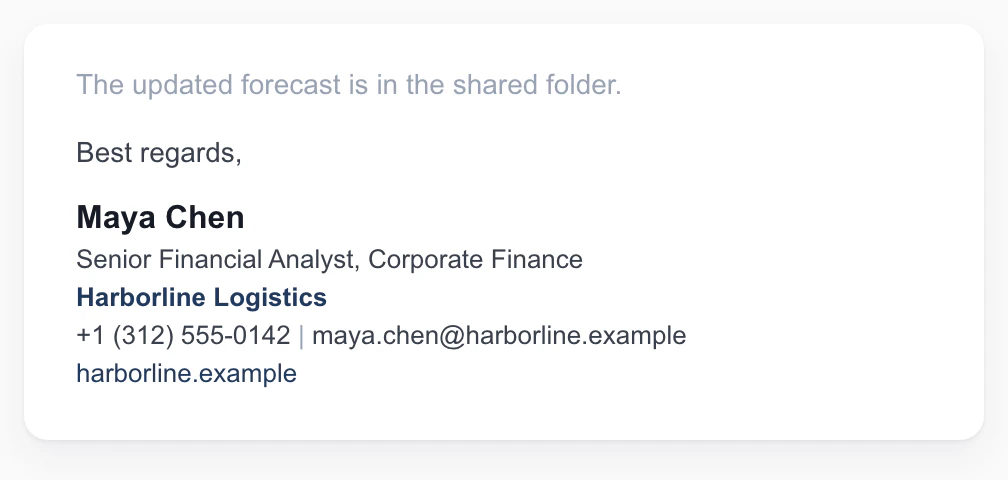
Fits: employees of mid-size and large companies, for internal and external email alike.
What makes it work: name, role, company, one contact line and one link, in that order. The department tells colleagues where to route a question. The email address looks redundant, but the "From" line often gets lost when a thread is forwarded or printed, and then the signature is the only place it appears.
Maya Chen
Senior Financial Analyst, Corporate Finance
Harborline Logistics
+1 (312) 555-0142 | maya.chen@harborline.example
harborline.example
2. The UK Company Signature With a Legal Footer
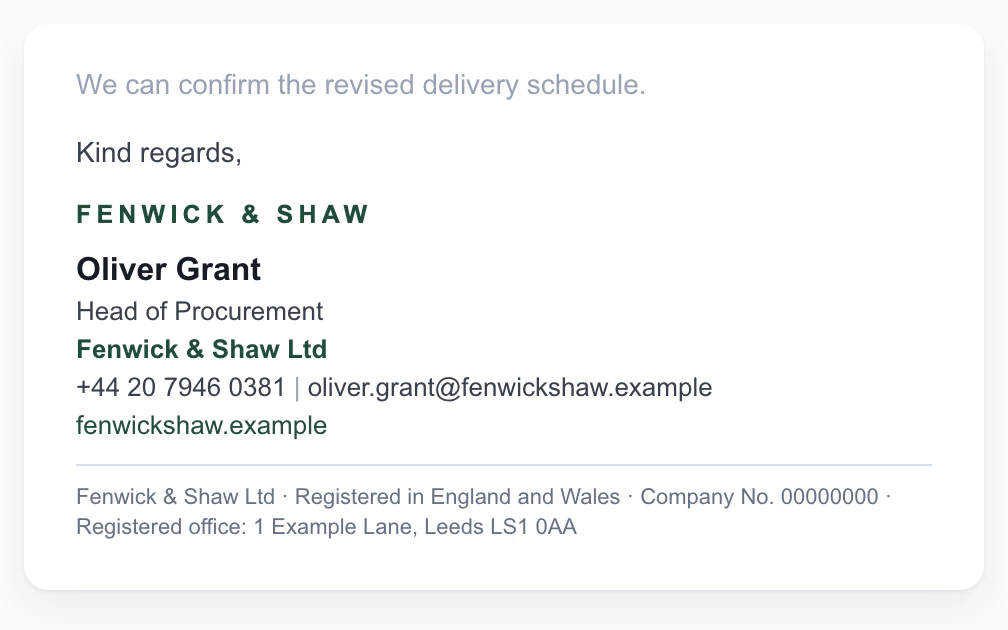
Fits: anyone at a UK limited company. For a German GmbH, swap the footer for the lines in the legal section below.
What makes it work: the personal block stays short, and the company details sit in a smaller gray footer under a thin rule: the registered name, where the company is registered, its registered number and its registered office. Those are the particulars UK trading-disclosure rules require on business letters, order forms and websites. The footer is the same for everyone at the company, so it is a good candidate for a central template.
[Company wordmark]
Oliver Grant
Head of Procurement
Fenwick & Shaw Ltd
+44 20 7946 0381 | oliver.grant@fenwickshaw.example
fenwickshaw.example
Fenwick & Shaw Ltd · Registered in England and Wales · Company No. 00000000 · Registered office: 1 Example Lane, Leeds LS1 0AA
Sales Email Signature Examples
Sales signatures fail in one of two ways: too many asks, or the same six lines repeated down a 30-message thread. These two fix both.
3. The Sales Signature With One Booking Link
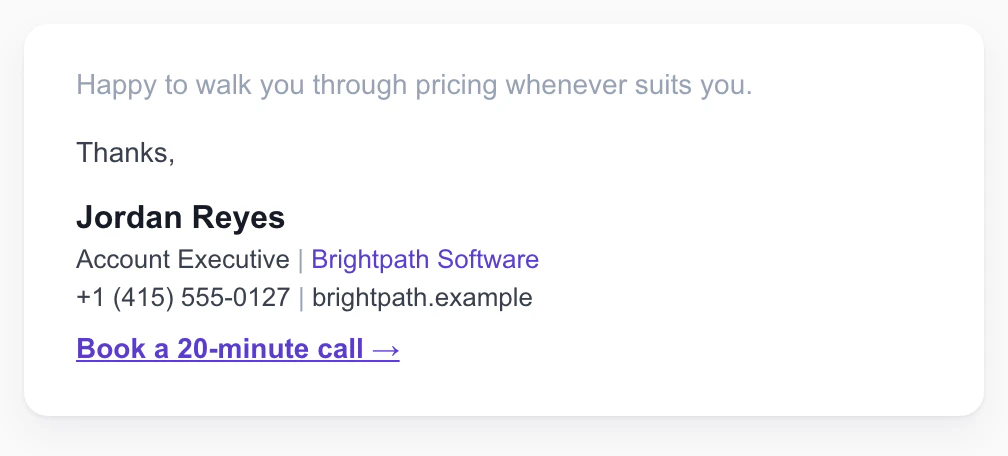
Fits: account executives, SDRs and anyone whose next step with a prospect is a call.
What makes it work: exactly one call to action, written as a verb with a length ("Book a 20-minute call"), so the reader knows what they are agreeing to. The booking link replaces three emails of "does Tuesday work?". It is live text, not a button image, so it still shows when images are blocked.
Jordan Reyes
Account Executive | Brightpath Software
+1 (415) 555-0127 | brightpath.example
Book a 20-minute call →
4. The One-Line Reply Signature
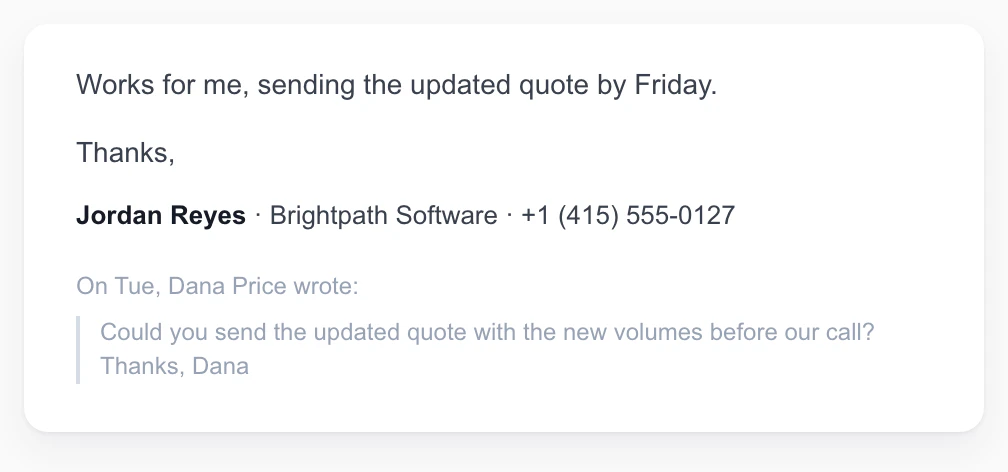
Fits: anyone in long back-and-forth threads: sales, account management, support, project work.
What makes it work: the full block goes on the first email, and replies and forwards get one line. Gmail, Outlook and Apple Mail all let you keep more than one signature, and Gmail and Outlook can set a different default for replies, so a long thread doesn't stack the same block over and over. The phone number stays, because it is what someone looks for halfway down a thread.
Jordan Reyes · Brightpath Software · +1 (415) 555-0127
Real Estate Email Signature Example
5. The Real Estate Agent Signature
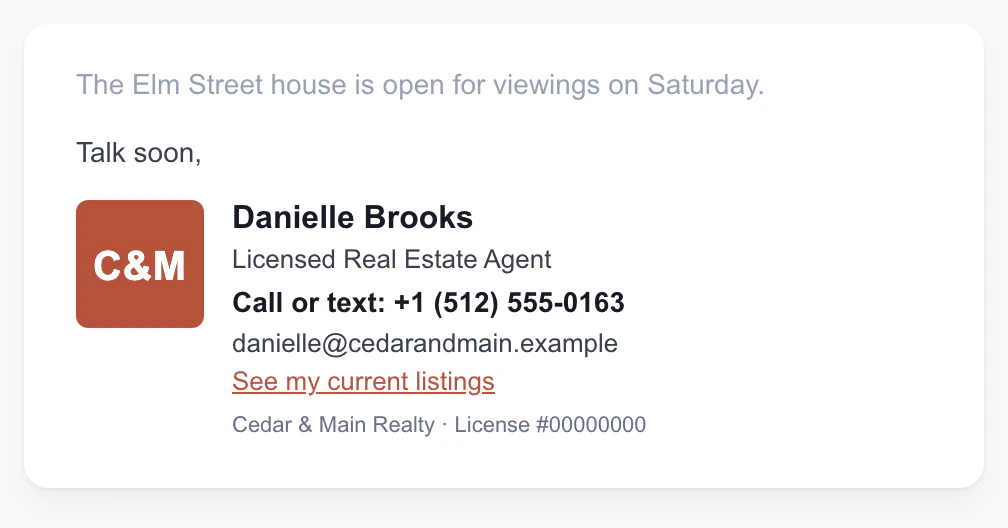
Fits: real estate agents and brokers, mortgage loan officers, property managers.
What makes it work: the mobile number comes first and says "call or text", because many buyers would rather text. The brokerage name and license number sit on their own small line, so they are in place if your brokerage or your state's advertising rules ask for them (check yours). The one link goes to the agent's own listings, not the brokerage homepage, where the reader would have to search again.
[Brokerage logo, 64 × 64 px]
Danielle Brooks
Licensed Real Estate Agent
Call or text: +1 (512) 555-0163
danielle@cedarandmain.example
See my current listings
Cedar & Main Realty · License #00000000
Freelancer and Creative Email Signature Examples
When you are the business, the signature does some selling. It should show the work and say when you are available, without turning into a brochure.
6. The Freelance Designer Signature
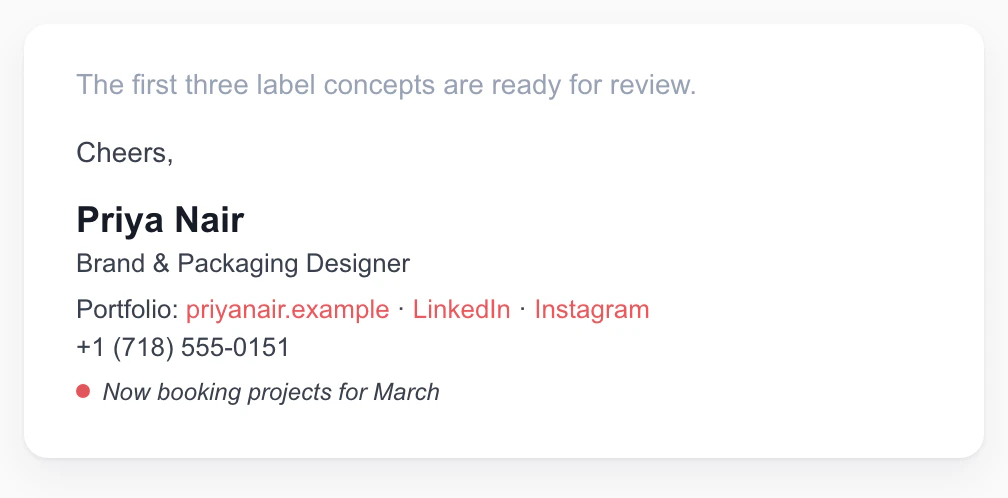
Fits: designers, photographers, illustrators and writers: anyone whose work is the pitch.
What makes it work: the portfolio is the first link, and the social profiles are words, not icons, so they survive image blocking. The availability line is the one part that changes. Update it when your calendar fills, and delete it rather than let it go stale.
Priya Nair
Brand & Packaging Designer
Portfolio: priyanair.example · LinkedIn · Instagram
+1 (718) 555-0151
Now booking projects for March
7. The Consultant Signature for Clients in Other Time Zones
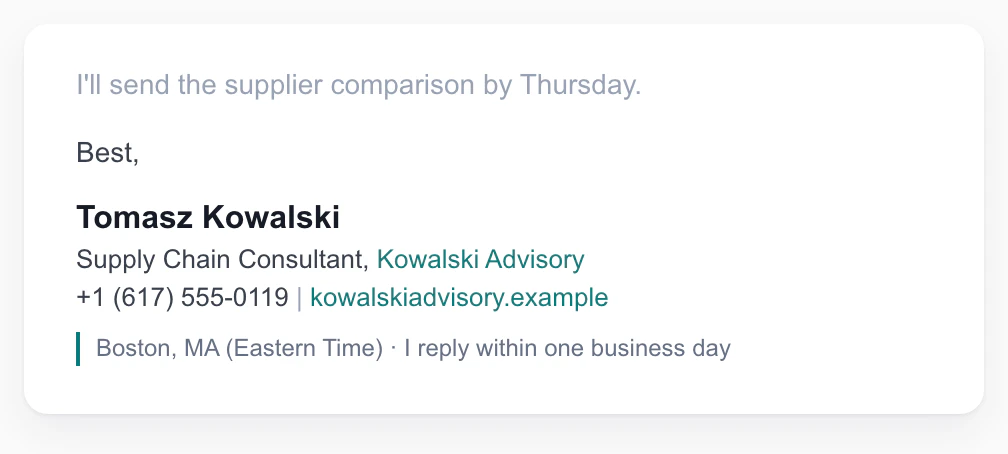
Fits: consultants, contractors and remote workers with clients in other cities or countries.
What makes it work: the city and time zone answer "when can I call?" before anyone asks, and the reply-time line sets an expectation that heads off "just following up" emails. The phone number carries the country code, so it works for callers abroad.
Tomasz Kowalski
Supply Chain Consultant, Kowalski Advisory
+1 (617) 555-0119 | kowalskiadvisory.example
Boston, MA (Eastern Time) · I reply within one business day
College Student and New Graduate Email Signature Examples
A student signature is not a smaller corporate one. You have no job title yet, so your degree, year and school do that job, and one link shows what you have done.
8. The College Student Signature
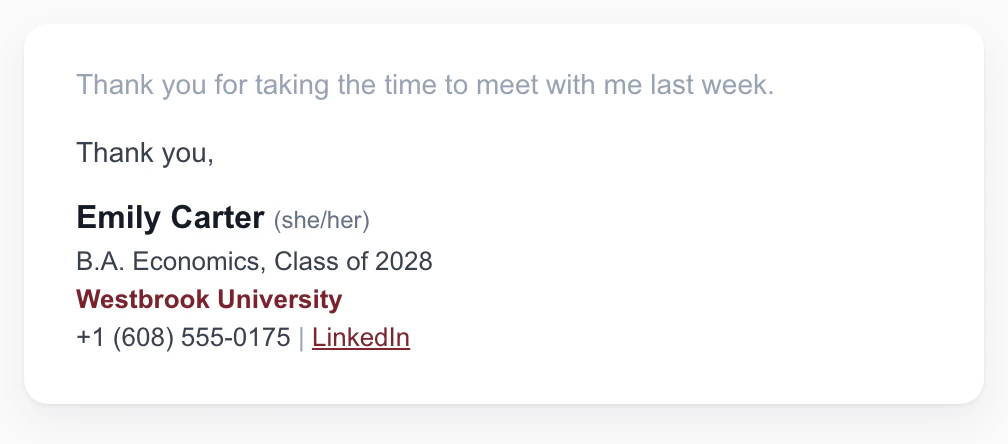
Fits: undergraduates and graduate students writing to professors, recruiters and internship contacts.
What makes it work: degree, major and class year tell the reader in one line who is writing and how far along you are. LinkedIn is the one link a recruiter will open. Pronouns are optional; include them if you want them used. Leave out your GPA unless someone asked for it, and leave out the university crest, since schools usually restrict use of their logo.
Emily Carter (she/her)
B.A. Economics, Class of 2028
Westbrook University
+1 (608) 555-0175 | LinkedIn
9. The New Graduate Job-Search Signature
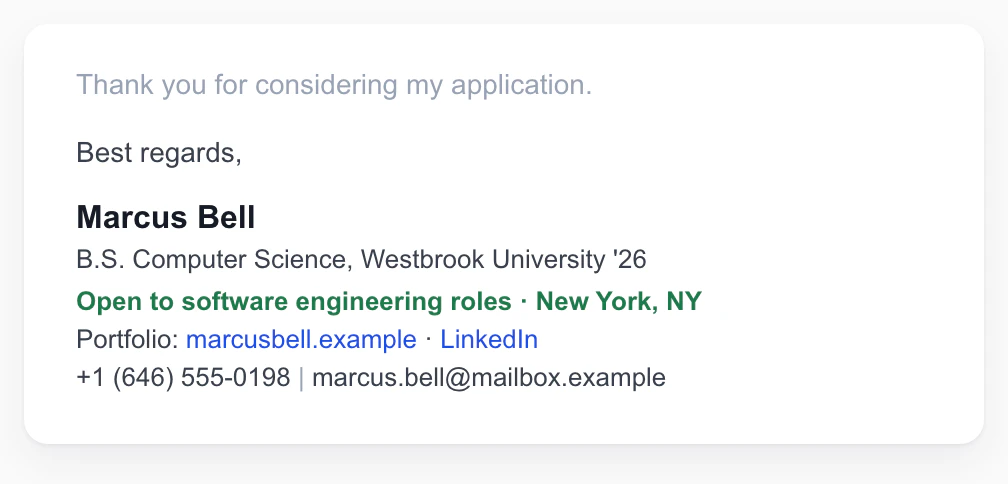
Fits: recent graduates and career changers applying for jobs.
What makes it work: the "Open to" line states the ask and the location in eight words, so a contact who forwards your email passes on what you want. It uses a personal address you will keep after graduation, and the portfolio link shows work, not just a list of courses.
Marcus Bell
B.S. Computer Science, Westbrook University '26
Open to software engineering roles · New York, NY
Portfolio: marcusbell.example · LinkedIn
+1 (646) 555-0198 | marcus.bell@mailbox.example
Simple and Personal Email Signature Examples
10. The Minimal Plain-Text Signature
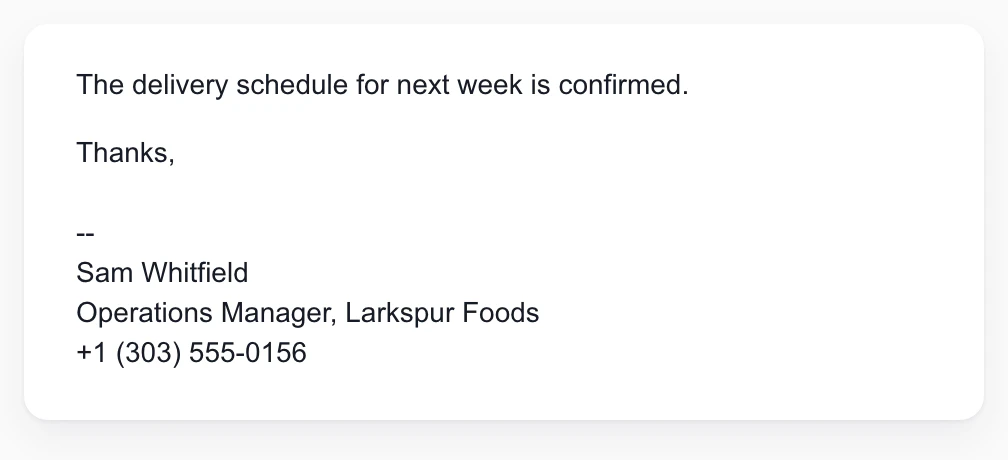
Fits: anyone who wants a signature that looks the same in every mail app, including plain-text mode, and anyone whose employer bans images.
What makes it work: three lines, no formatting, nothing to break. The line above it, two dashes and a space, is the separator convention recorded in RFC 3676 (the spec for flowed plain-text email); some mail programs use it to recognize the signature and leave it out when you reply. It is optional, and harmless if your client ignores it.
--
Sam Whitfield
Operations Manager, Larkspur Foods
+1 (303) 555-0156
11. The Personal Email Signature
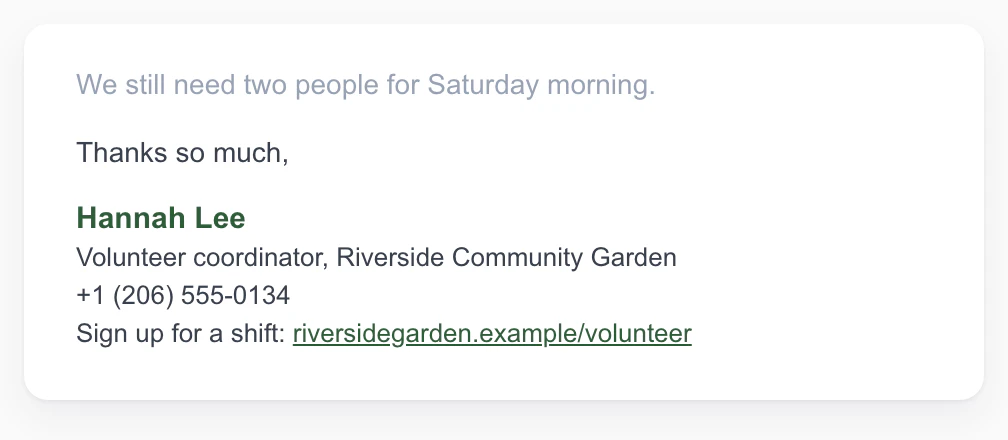
Fits: personal email: school and club messages, volunteering, landlords, a side project.
What makes it work: no job title to explain, just what the reader needs to reach you: your name, a phone number and the one thing you want them to find (here, a volunteer sign-up page). It is short enough to set as the default on your phone, too.
Hannah Lee
Volunteer coordinator, Riverside Community Garden
+1 (206) 555-0134
Sign up for a shift: riversidegarden.example/volunteer
Email Signatures With a Photo or a Banner
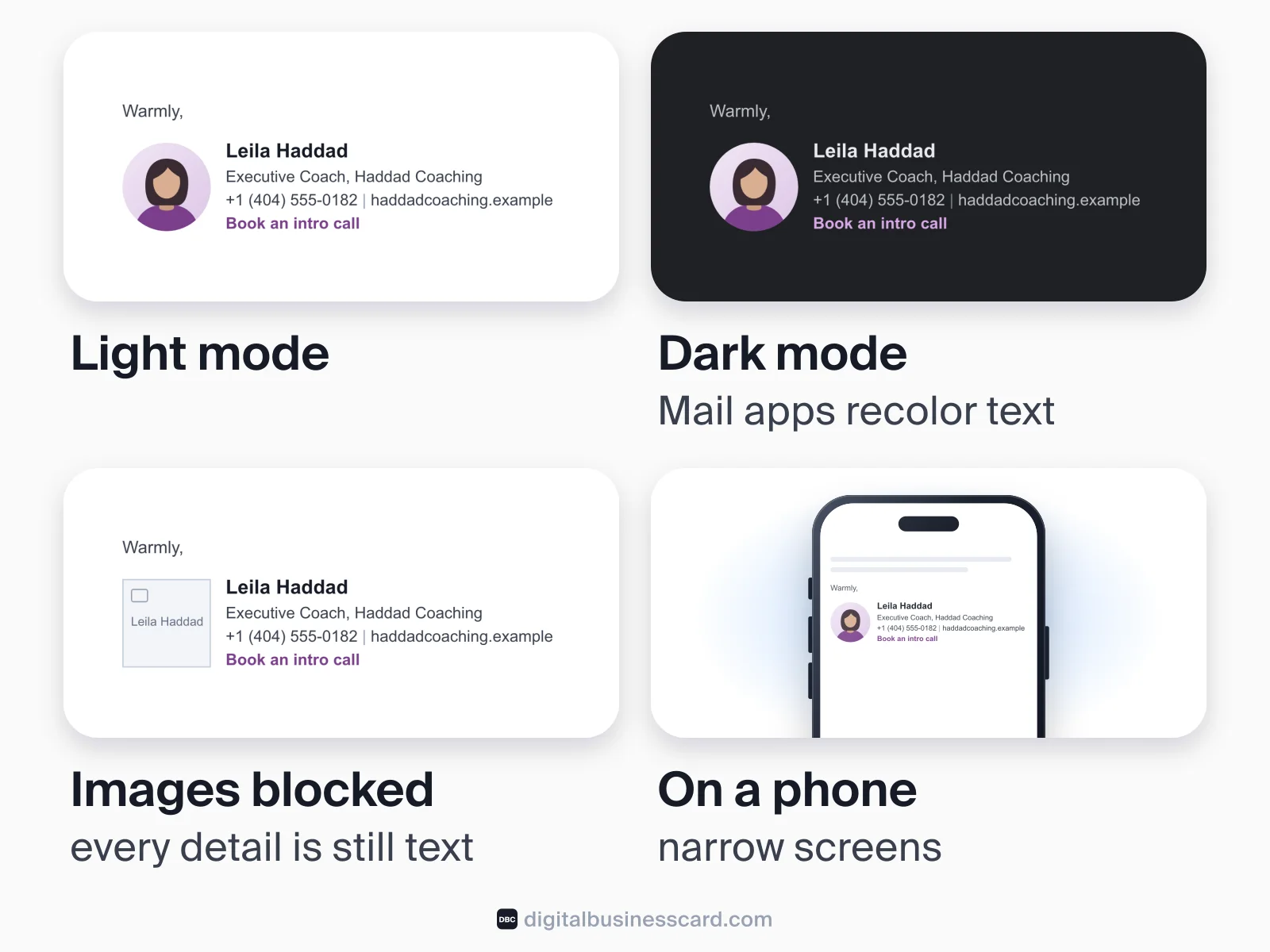
Images can make a signature friendlier or promote something, but they are the first thing to fail: Microsoft says Outlook "is configured by default to block automatic picture downloads from the Internet". So the rule for both examples is the same: the image is extra, and the text carries everything that matters.
12. The Signature With a Headshot
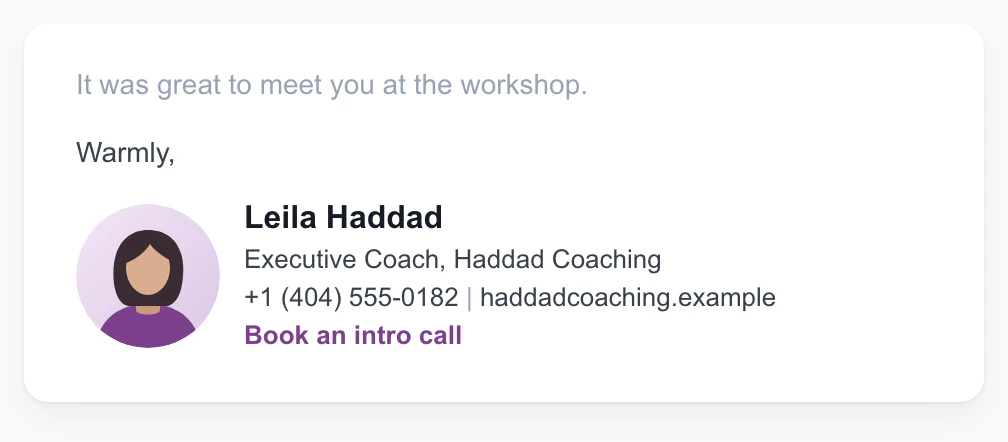
Fits: coaches, advisors, recruiters, account managers: work where people buy from a person.
What makes it work: a small headshot, 72 pixels square, well inside Google's 100-pixel height limit for Gmail signature images, puts a face to the name. Every detail is still text beside it, so when images are blocked the reader loses the face, not the phone number. Give the image alt text with your name where your editor allows it (Outlook does; in Gmail, the text beside the image is your fallback).
[Headshot, 72 × 72 px, alt text: Leila Haddad]
Leila Haddad
Executive Coach, Haddad Coaching
+1 (404) 555-0182 | haddadcoaching.example
Book an intro call
13. The Signature With an Event Banner

Fits: marketing, partnerships and sales teams promoting one thing for a limited time, such as an event, a launch or a webinar.
What makes it work: the banner is 600 × 100 pixels, inside Gmail's maximum of 100 pixels high by 1,000 wide. It promotes one dated thing, so it has an obvious day to come down. The same message is repeated as a text line under it for everyone whose mail app blocked the picture.
Ryan O'Connell
Partnerships Manager | Northgate Freight
+1 (816) 555-0147 | northgate.example
[Banner, 600 × 100 px, linked to northgate.example/expo]
Meet us at Booth 412, Midwest Logistics Expo, March 9–11: northgate.example/expo
A Mobile-First Email Signature Example
Most email is now read on a phone: Litmus, which measures email opens for senders, says "mobile devices continue to be the primary reading environment for the majority of subscribers". Its October 2026 count of over 1.7 billion opens puts Apple's mail apps at 75.84%, Gmail at 17.02% and Outlook at 3.49% (Litmus). Read the Apple figure as an upper bound: it includes opens registered by Apple's Mail Privacy Protection, which Litmus itself calls "not considered reliable opens". Even so, the reader of your signature is quite likely on an Apple device, and very often on a phone.
14. The Mobile-First Signature
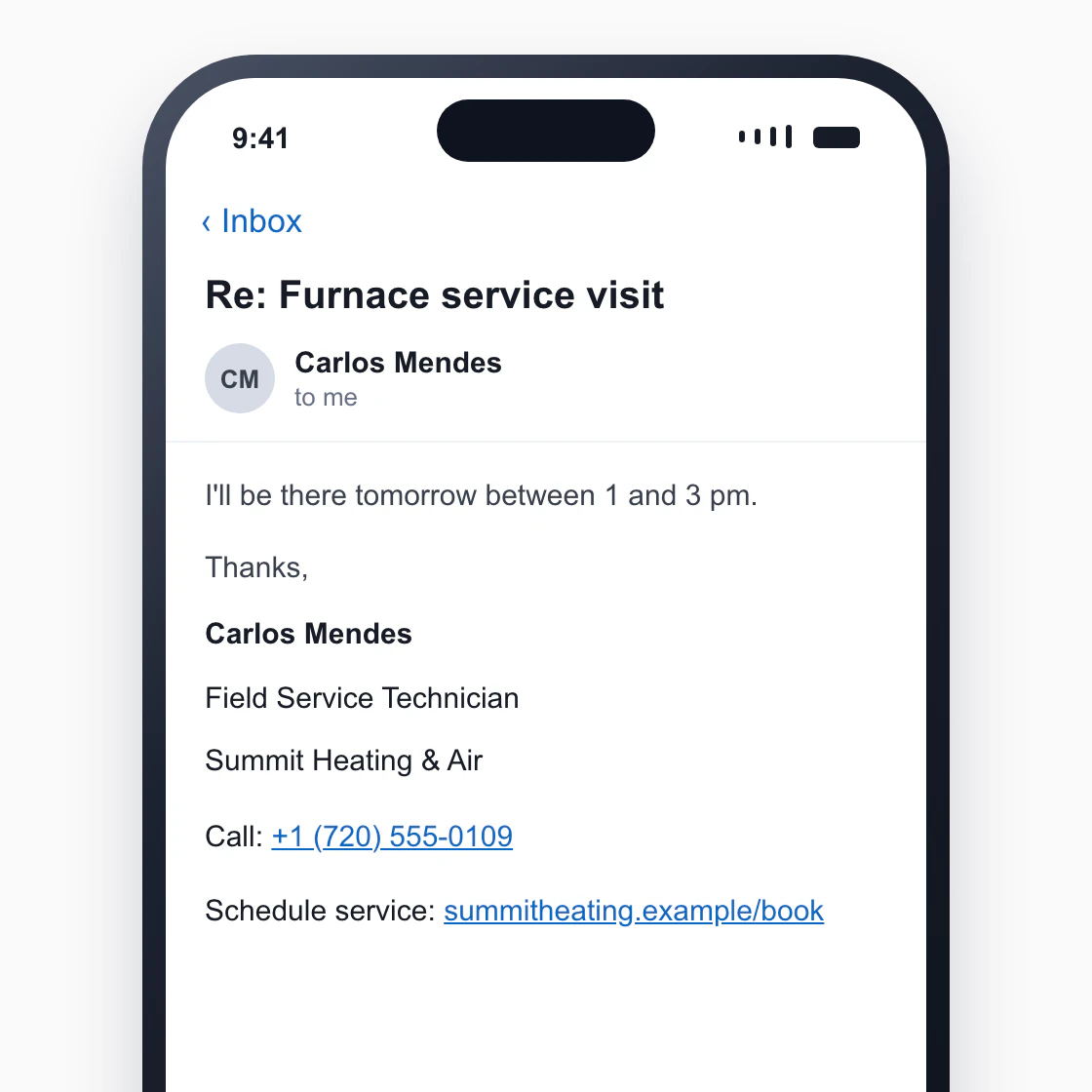
Fits: field teams, trades and drivers who write and read mostly on a phone, and anyone whose customers do.
What makes it work: one column, one item per line and nothing side by side, so nothing wraps into a mess on a narrow screen. The phone number has a "Call" label so it is obvious what a tap does, and the booking link sits on its own line, far enough from the number that a thumb hits the right one.
Carlos Mendes
Field Service Technician
Summit Heating & Air
Call: +1 (720) 555-0109
Schedule service: summitheating.example/book
Email Signatures With a Digital Business Card Link or QR Code
The signature has room for four or five lines. A digital business card has room for everything else: several numbers, your address, social profiles, a booking link, a photo. Putting the card's link in the signature lets you keep the signature short without leaving anything out. The person who taps it needs no app: the card opens in their browser, and Save Contact puts your details into their phone.
There is a second reason. A signature is copied into every email you send, so when your title or number changes, the old version stays in every inbox. A card link always opens the card as it is now: you edit the card once, and the link in last year's emails opens the new details. (A contact someone already saved on their phone is a copy, so that copy won't change.)
15. The Signature With a Digital Business Card Link
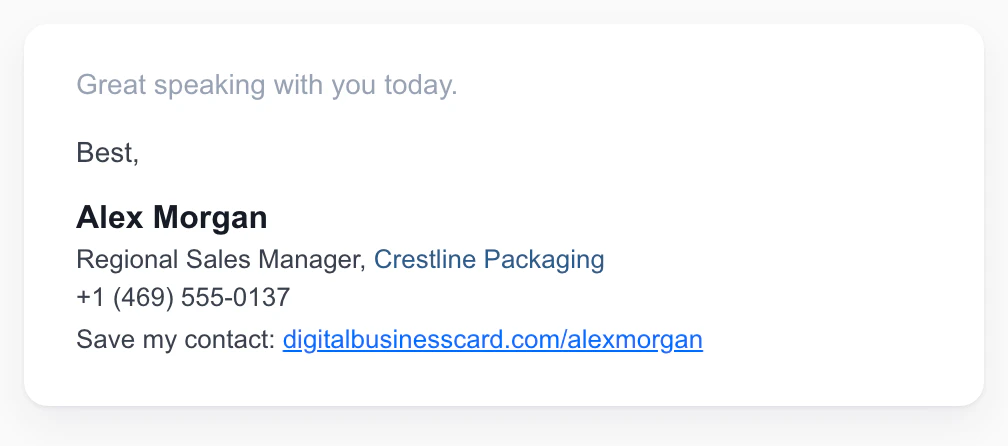
Fits: anyone whose full set of details won't fit in four lines.
What makes it work: the signature carries four lines, and the card carries the rest. "Save my contact" tells the reader exactly what the link does, which a bare URL doesn't.
Alex Morgan
Regional Sales Manager, Crestline Packaging
+1 (469) 555-0137
Save my contact: digitalbusinesscard.com/alexmorgan
16. The Branded Team Signature With a QR Code
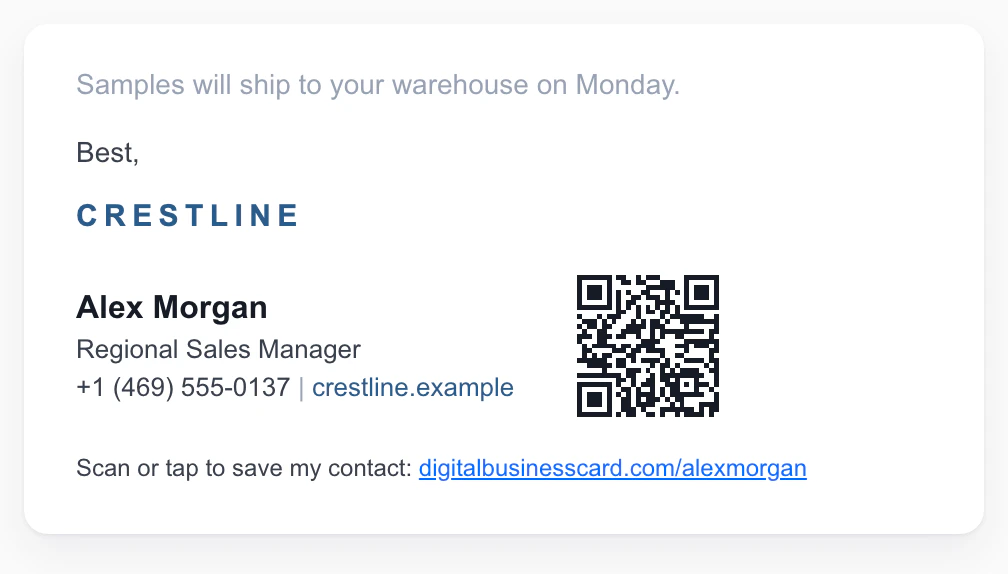
Fits: sales and field teams that want every rep's signature to look the same, and recipients who read email on a laptop with a phone in hand.
What makes it work: the layout belongs to the company, and the details belong to the rep, through their own card link. The QR code is about 90 pixels, under Gmail's 100-pixel limit, and the same link is written out below it, so it works when images are blocked and on a phone, where you can't scan your own screen. For how small a code can be and still scan, see our guide to QR code size.
[Company logo]
Alex Morgan
Regional Sales Manager
+1 (469) 555-0137 | crestline.example
[QR code, about 90 px, linked to the card]
Scan or tap to save my contact: digitalbusinesscard.com/alexmorgan
To be clear about what we make: DBC is a digital business card, not a signature generator, and we don't design personal signatures. Any of the 16 signatures above can carry a card link, whichever tool or editor you build it in. The step-by-step for adding the link or QR in Gmail, Outlook and Apple Mail, including classic Outlook's Electronic Business Card, is in our guide to adding a digital business card to your email signature. If you are new to the format, start with what a digital business card is.
Email Signature Format Rules: Length, Fonts, Images, Dark Mode and Mobile
The examples follow the same handful of rules. Here they are with the reason, and a source where one exists.
Rule | Why |
|---|---|
Length: 3–6 lines, plus a legal footer if you need one | Each extra line pushes the useful ones down, and on a phone a long signature can take up more of the screen than the reply above it. Gmail's hard limit is 10,000 characters, images included, but you should never get near it. |
Fonts: one web-safe font (Arial, Helvetica, Verdana, Georgia), 10–12 pt or 13–14 px, at most one accent color | A font the reader doesn't have is replaced by a default, so a custom font only looks right on your own screen. Matching your mail app's default works well: Dartmouth tells staff to use Aptos at size 11 in Outlook. |
Images: 70–100 px high, 300–400 px wide; never over 100 px high in Gmail | Google recommends 70–100 × 300–400 pixels and caps signature images at 100 × 1,000. Keep logos, photos, banners and QR codes inside that box. |
Images are extras: every detail is also in text; every image has alt text where your editor allows it (Outlook does; in Gmail, the text beside the image is your fallback) | Outlook blocks automatic picture downloads by default, and screen readers can't read text inside a picture. |
Dark mode: use a logo with a solid or padded background, not a transparent dark one; avoid pure black text set as an inline color | Litmus says dark mode is now "used by over 25% of the total user base". Mail apps recolor text and backgrounds in dark mode, but not the pixels of an image, so a dark logo on a transparent background can disappear against a dark screen. |
Mobile: one column, links on their own lines, phone numbers in international format | Side-by-side layouts wrap unpredictably on narrow screens; a full number with country code can be tapped to call from anywhere. |
Links: at most three, written as words ("LinkedIn", "Book a call") | A single clear action is easier to act on than a row of competing ones, and words survive when icons are blocked. |
Test it: send yourself an email and open it on a phone, in Gmail and in Outlook, in light and dark mode | The signature you see in the editor is not the one your reader sees. Classic Outlook also stores signatures on the device, so set it up on each computer and phone you send from. |
Legal Lines: When a Signature Must Carry Company Details
In most cases a signature has no legal content at all. Two common exceptions are company-disclosure rules in the UK and much of Europe, and the address rule for marketing email in the US. This is a summary, not legal advice; your company secretary or compliance team has the final word.
United Kingdom. Under the UK's trading-disclosure regulations (SI 2015/17, Part 6), a company must show its registered name on all its business correspondence, and its business letters, order forms and websites must also give the part of the UK where it is registered, its registered number and its registered office address. The regulations say a document includes its electronic form, which is why UK companies put these details in their email footers (see example 2). Directors' names are optional, but if you list any, you have to list them all, according to GOV.UK's guidance (a director signing their own email doesn't count).
Germany. Section 35a of the GmbH Act requires business letters "gleichviel welcher Form", that is, in whatever form, sent to a specific recipient, to state the company's legal form and registered seat, the register court, the commercial register number, and all managing directors (plus the supervisory board chair, if there is one). A German GmbH footer therefore looks like this:
Example Logistik GmbH · Sitz: Hamburg · Registergericht: Amtsgericht Hamburg, HRB 000000
Geschäftsführer: Anna Beispiel, Jonas Muster
Other countries in the EU have their own disclosure rules for company correspondence, so if you work for a company registered there, ask for the exact wording rather than copying the UK or German version.
United States. There is no general law about what an email signature must contain. But if an email's primary purpose is to advertise or promote a product or service, the CAN-SPAM Act requires it to include a valid physical postal address, and the FTC puts the penalty at up to $53,088 per violating email. The law covers business-to-business email too. Marketing tools add the address to campaigns automatically; if you send promotional emails one by one from your own inbox, a postal address in the signature covers that requirement (the opt-out rules still apply separately).
Regulated industries. Finance, insurance, law and healthcare often have required disclosures or confidentiality notices. Use your compliance team's wording word for word, and keep it in the small footer, below your contact details, not above them. A generic example of the kind of line companies use (an illustration, not legal wording; use your own company's text):
This email and any attachments are confidential and intended only for the addressee. If you received it in error, please tell the sender and delete it.
How to Add a Signature in Gmail, Outlook and Apple Mail
Building the signature takes longer than installing it. Paste your text into the editor, then turn the link lines into real links with the editor's link button.
- Gmail (computer): Settings (gear) → See all settings → General → Signature → Create new. Paste the text, add any image with the image button, choose the signature under "Signature defaults" for new emails and for replies and forwards (this is where the one-line reply signature goes), and click Save Changes at the bottom (Google's steps).
- New Outlook and Outlook on the web: Settings → Accounts → Signatures → Add signature. Name it, paste the text, tick whether it applies to new messages and to replies and forwards, and select Save. In classic Outlook for Windows: open a new message, then Message → Signature → Signatures (Microsoft's steps). If you use both Outlook and Outlook on the web, you may need to create the signature in each.
- Apple Mail on a Mac: Mail → Settings → Signatures, pick the account, click Add and name it, then edit the preview on the right; images can be dragged in (Apple's steps).
- On a phone: mail apps keep their own signature, separate from the desktop one. In iPhone Mail it is under Settings → Apps → Mail → Signature; replace "Sent from my iPhone" with a short text version, such as example 4 or 10.
To add a digital business card link or QR code to any of these, follow our email signature how-to.
Sign-Offs: The Line Above Your Signature
The closing word isn't part of the signature, but it sits directly above it, and it is half of the question "how should I end an email?". The best-known study of it comes from Boomerang, a Gmail add-on maker, which looked at more than 350,000 email threads from the mailing-list archives of over twenty online communities and compared reply rates by sign-off (Boomerang, 2017):
Sign-off | Reply rate |
|---|---|
Thanks in advance | 65.7% |
Thanks | 63.0% |
Thank you | 57.9% |
Cheers | 54.4% |
Kind regards | 53.9% |
Regards | 53.5% |
Best regards | 52.9% |
Best | 51.2% |
All emails in the sample | 47.5% |
Read it for what it is: mailing-list emails, many of them asking for help, from 2017. Gratitude did best there, and every closing in the table did better than the sample as a whole. For a request, "Thanks" is a safe default; for a formal or first email, "Kind regards" or "Best regards" reads as polite without sounding stiff. Whatever you choose, it goes on its own line above your name.
Rolling Out One Signature to a Team
For a team, the hard part isn't the design; pick one of the corporate examples above and it is done. The hard part is keeping 50 or 500 signatures the same, and keeping the details in them correct as people change titles, numbers and offices. A shared template fixes the look. The details stay correct only if each signature points to something that is updated in one place.
That is how team signatures work in DBC: email signatures are part of our DBC Teams solution. Every message your team sends carries a QR code and a link to the sender's card, with one brand identity across every inbox and no mismatched signatures or outdated headshots. Cards are managed centrally, so a change made in the dashboard is what the next person to tap the link sees. Business teams get a 30-day trial to run a pilot first.
FAQ
What is a good signature for email?
Can you give me an example of a good email signature?
What is a signature block example?
What should I include in my email signature?
What are good closing signatures for emails?
What should a college student put in an email signature?
How long should an email signature be?
Should I put a photo in my email signature?
Should I include my email address in my email signature?
Should my email signature be HTML or plain text?
What is the best email signature template for Outlook?

A content writer with over 8 years of experience creating analytical content for digital products and B2B SaaS companies. His work focuses on practical guides, pricing breakdowns, and comparisons that help teams evaluate costs, features, and differences between tools.
Your first impression decides everything
- Look professional and build trust instantly
- Forget about reprints and lost contacts
- Update your details anytime
 Get Started Today