
Contents
Popl Overview: Key Features, Pros & Cons, PricingLinq Overview: Key Features, Pros & Cons, PricingLinq vs Popl: Main Differences Between PlatformsWhen to Choose PoplWhen to Choose LinqWhy It's Better to Choose DBC: Digital Business CardConclusionFAQPopl vs Linq (2026): A Detailed Comparison of Digital Business Card Platforms
Comparing Popl vs Linq before choosing one as your networking partner is absolutely the right business decision. At first glance, it may seem like any solution will work, because these are “just digital business cards.” But that is not how it works, especially when your team grows, your event activity increases, and you start caring about lead capture, onboarding, analytics, and cost.
To choose the right platform, you need to understand its key features, advantages, disadvantages, and, of course, how pricing changes once you go beyond the basic plan. That is exactly what we will do in this article.
Read to the end to see which platform is a better fit for your workflow, what trade-offs you are making with each choice, and how to avoid paying for features you may never need.
Today, Popl vs Linq in the ring. GONG!
Popl Overview: Key Features, Pros & Cons, Pricing
Popl is one of the most recognizable digital business card platforms on the market. It started as an NFC networking tool for individuals and expanded into a full B2B platform that provides teams with better lead-capture workflows and event performance tracking.
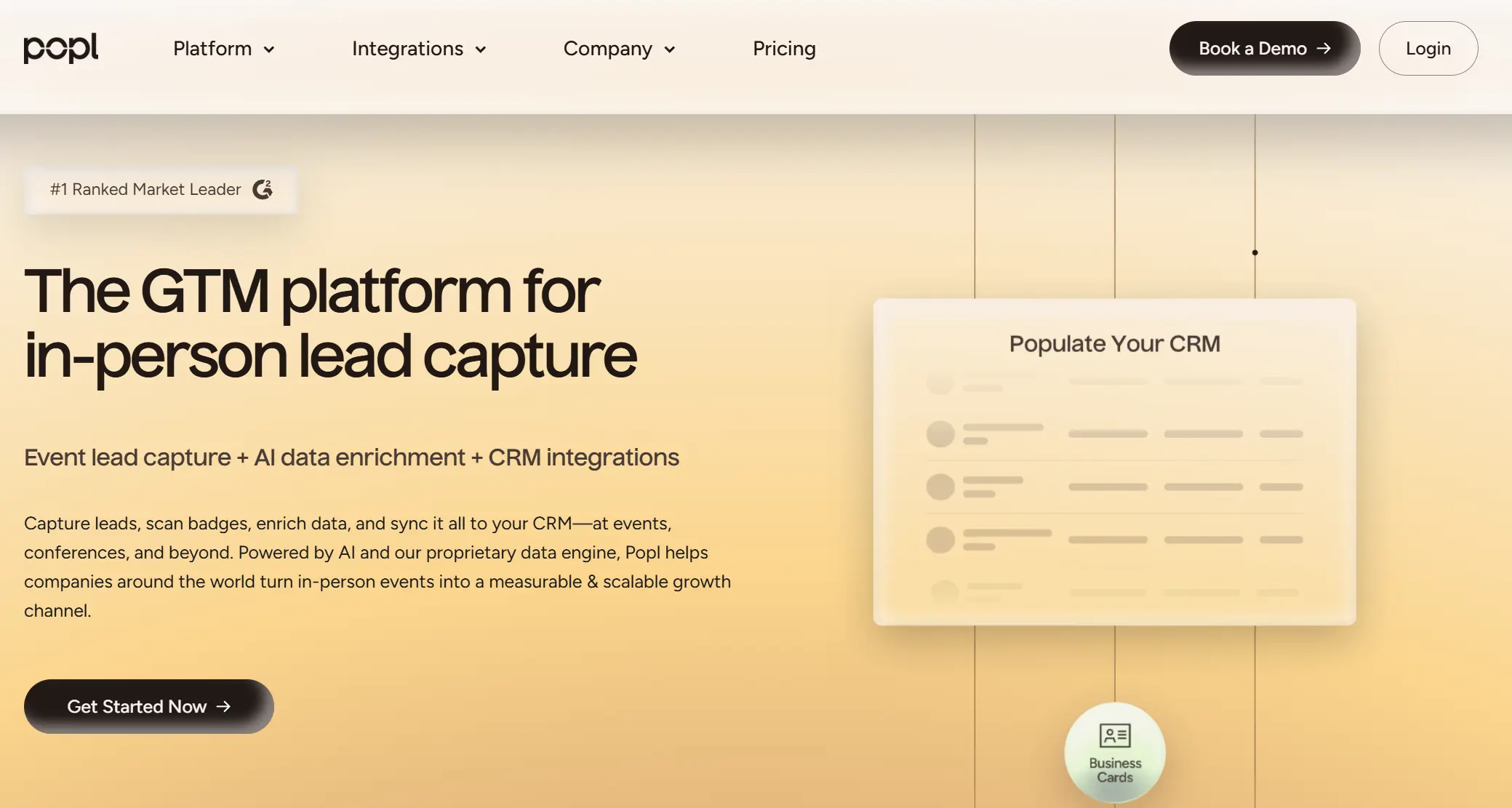
The platform highlights scanning, CRM syncing, analytics, and automation, positioning itself as a sales enablement tool for modern networking.
Popl works best for users and teams who treat networking as a measurable process. If you attend conferences, collect leads, and want your team’s networking activity tied directly to CRM workflows and ROI reporting, Popl is built for that.
If you only want a simple digital business card for daily use, Popl can feel more expensive and complex than you need.
Key Features:
Here are the most crucial features you need to understand to determine whether Popl is a good fit for your company.
1. NFC and QR Digital Cards
Popl lets users create branded digital business cards that can be shared via NFC tap, QR code, email signature, or link. The recipient does not need the Popl app to view your profile or receive your contact details.
2. Universal Lead Capture Scanner
Popl includes a universal lead capture tool designed for conferences and in-person networking. Users can scan event badges and paper business cards to collect leads. This feature is one of Popl’s strongest differentiators compared to simpler digital card apps.
3. Automated Follow-Up
Popl supports follow-up workflows such as automated emails and text messages after a meeting. This helps sales teams reduce manual work and respond faster while the interaction is still fresh.
4. CRM Integrations and Zapier Connectivity
Popl supports CRM workflows by pushing contacts to platforms such as Salesforce and HubSpot. It also supports automation via Zapier, expanding integration coverage across thousands of tools.
5. Team Dashboard and Admin Controls
For businesses, Popl provides a centralized dashboard that lets admins manage user roles, card templates, branding, and permissions. Teams can push updates to all users and manage licenses across departments.
6. Event Tools and ROI Tracking
Popl is strongly positioned as an event platform. Its event features include lead-capture forms, badge scanning, lead enrichment, and reporting that help teams measure event performance and ROI.
7. Analytics for Engagement and Performance
Popl provides analytics such as profile views, shares, leads captured, and team performance reporting. These insights are designed to help teams understand what works and improve their networking outcomes.
8. Multi-Channel Sharing Options
Beyond NFC and QR codes, Popl supports additional sharing formats, such as Apple Wallet and Google Wallet, email signatures, Wear OS, and other digital touchpoints designed for modern sales and marketing teams.
Advantages:
Based on user feedback across review platforms, Popl is most often praised for its modern networking experience and strong B2B feature set.
- Modern alternative to paper business cards
Users often describe Popl as a fresh, modern way to replace paper cards and make networking feel easier.
- Strong conference and event usability
Many reviewers highlight Popl as especially useful at conferences due to its scanning and lead-capture workflow.
- Feature-rich platform for teams
Users frequently mention that Popl includes many tools in one place, especially for lead capture, CRM workflows, and follow-up.
- Helpful customer support
A recurring theme in reviews is responsive support and good onboarding assistance.
- Easy team rollout
Some customers praise Popl’s team setup, saying it is easy to onboard employees and distribute cards across the company.
Disadvantages:
Popl’s most common downsides are pricing, reliability in tapping scenarios, and customization limits.
- Pricing can feel expensive
Multiple reviewers describe Popl as pricey, especially beyond basic personal use.
- Event lead capture requires upgrades or extra fees
A recurring complaint is that the most valuable event features require higher tiers, and some event workflows may introduce usage-based costs.
- Tap sharing is not always reliable
Some users report that the NFC tap does not always work on the first attempt, which forces them to rely on QR codes as a backup.
- Limited design flexibility
Several reviewers mention wanting more customization options and better templates for the digital profile and card experience.
- Occasional syncing glitches
Some users report minor issues with syncing contacts, especially across specific tools or devices, though this is not the most common problem.
Overall, Popl is powerful, but the platform can feel heavier than necessary for users who only need an individual digital business card.
Pricing
Popl uses a tiered pricing model for individuals, while team and enterprise pricing are based on a quote.
- Free (Individuals)
Includes one basic digital card and unlimited sharing through NFC, QR, and link.
- Pro (Individuals)
$6.49 per month billed annually, or $7.99 montly.
Includes up to three digital cards, basic analytics, email signature tools, and contact exchange features.
- Pro+ (Individuals)
$11.99 per month billed annually, or $14.99 montly.
Adds advanced lead-capture tools, including scanning, real-time CRM syncing, deeper analytics, custom lead forms, and removal of Popl branding.
- Teams and Enterprise
Custom pricing.
Popl does not publish fixed team pricing. Team plans are typically structured around seats, advanced admin controls, and enterprise features. Event lead capture may also include usage-based pricing, such as per-badge scan costs for large events.
Popl is positioned as a premium platform, especially for teams that want event lead capture and measurable CRM workflows.
Linq Overview: Key Features, Pros & Cons, Pricing
Linq is a digital business card platform built for people and teams who want to replace paper cards with a faster and more analytical way to share contact details.
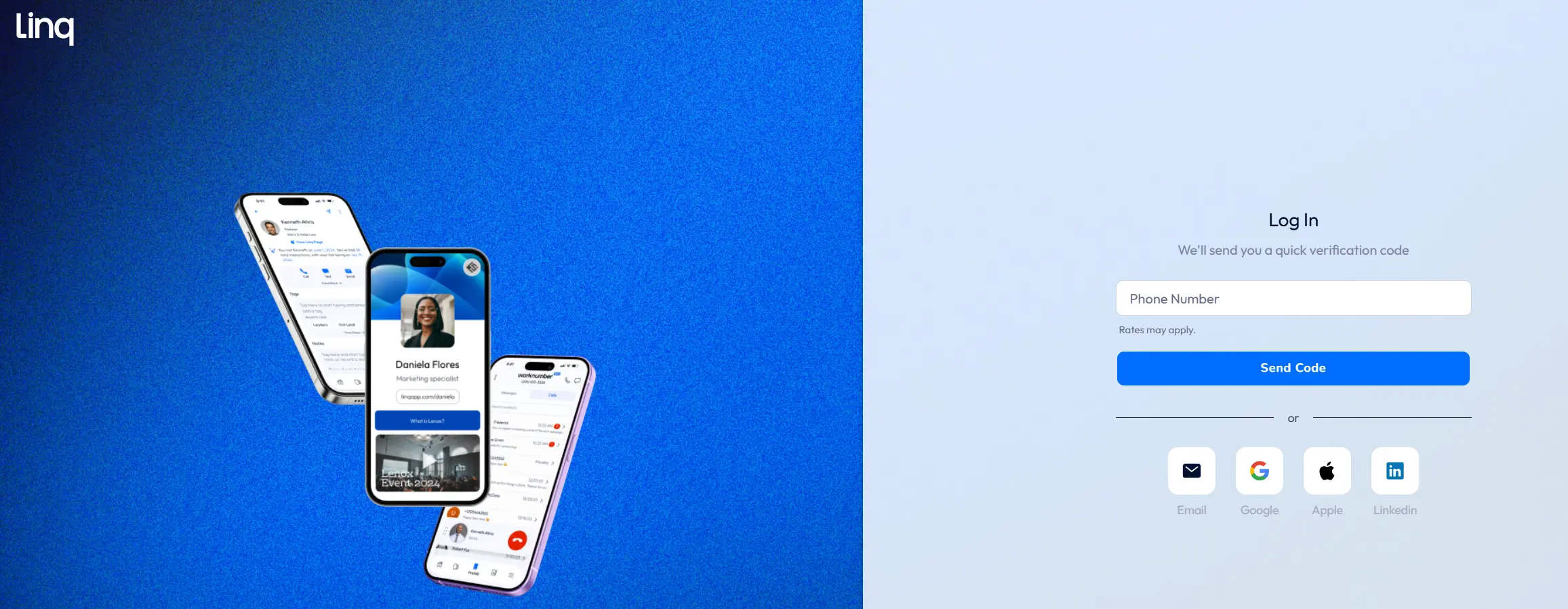
The first thing I want to say about Linq is that their website often feels more like a lightweight CRM platform than a simple digital business card tool, even though the mobile app still behaves like a digital business card app.
This positioning is one of Linq’s strengths, but it is also a weakness. For some users, it is exactly what they want. They do not only need a card to share. They want a system that helps them collect contacts, keep them in one place, and turn networking into a structured process.
For other users, the product can feel harder to understand at first because the messaging isn't as clean and focused as in most digital business card apps.
Linq works for everyday networking, but it also aims to cover what happens after the meeting. That mix is the main reason some users like Linq, and also the reason others find the product harder to understand at first glance.
Key Features:
Here are the most crucial features you need to understand to determine whether Popl is a good fit for your company.
1. Digital Business Card App
Linq lets users create a digital profile in the Linq app or web builder, then share it via an NFC card, a Linq Tap product, or a QR code. The recipient opens your profile instantly in a browser, so they do not need the Linq app to view your information. Linq also supports multiple profiles, which makes it easy to separate personal networking from business use.
2. Linq NFC Products
Linq offers a full catalog of NFC products designed for different networking scenarios. This includes plastic business cards, metal cards, wristbands, keychain tags, watch band accessories, and even tabletop signage such as Linq Hub. Each product combines an NFC tag and a QR code, so you can share your details by tapping or scanning, depending on the device.
3. Lead Capture and Contact Management
Unlike many digital business card apps, Linq also works as a lightweight contact management tool. You can scan paper business cards into the app, digitize contacts, and keep everything in one place. Leads can be organized with tags and groups, which helps users treat networking as an ongoing workflow.
4. AI Features and Follow-Up Tools
Linq includes AI and automation features in higher tiers, with a focus on capturing better data and reducing manual work. Depending on the plan, this may include smart nudges, enhanced lead capture, follow-up tools, and analytics on profile activity. Some plans also include tools that help teams organize contacts after events, such as tagging, reminders, and structured follow-up.
5. CRM Sync and Exports
Linq supports exporting and syncing contacts into external CRMs such as HubSpot and Salesforce. It is not positioned as a full CRM replacement. Instead, Linq focuses on capturing contact details quickly during meetings or events, adding context through notes and tags, and then pushing that information into the systems where your sales or marketing workflow already lives.
Advantages:
Based on user feedback across G2 reviews, Linq is most often praised for its speed, simplicity, and focus on contact workflow.
- Fast everyday networking Users say Linq is quick and convenient for day-to-day meetings and casual networking.
- Intuitive interface Many reviews highlight that the app feels easy to understand, with a smooth setup and a simple sharing flow.
- One-tap sharing Sharing a card feels effortless and works well in real networking scenarios.
- Strong customer support Users frequently mention responsive support, with some calling the Linq team “second to none.”
- Easy CRM sync Sales users often praise automatic contact syncing into CRMs like Salesforce and HubSpot, which saves time and avoids manual lead updates.
- Useful contact management Linq is described as a digital Rolodex where leads can be tagged, organized, and scheduled for follow-up right after the interaction.
- Good conference and convention usability While Linq is not positioned as an event platform, many users still mention it being very helpful at conventions for quick contact exchange.
Overall, Linq tends to be praised less for complex event tooling and more for making contact sharing and contact management feel simple and structured.
Disadvantages:
Based on recurring feedback from app store reviews, G2, and community threads, Linq’s most common downsides include:
- Extra steps when saving contacts Some users say recipients need to tap through multiple screens to save a contact, which can confuse non-technical people during networking.
- Android reliability issues A number of reviewers mention occasional crashes or inconsistent performance on Android devices.
- Contact card glitches Some users report cases where Linq sends an incomplete or blank vCard by mistake.
- Older NFC products can be inconsistent A few users note that older Linq cards may not work as smoothly over time, making the printed QR code an important backup.
- Follow-up delivery concerns Community discussions mention cases where follow-up messages do not always send reliably, leading to missed leads.
- Unclear product positioning Linq’s website often promotes CRM-style workflows and AI scanning, but many users still experience it mainly as a digital business card app, which can create mismatched expectations.
- Not a full CRM replacement Linq works well for capturing and organizing contacts, but it may disappoint teams expecting deeper CRM functionality inside the platform.
Pricing
Linq’s pricing is simpler than Popl’s. It includes a free tier for individuals and two paid subscription levels.
- Basic (Free) Free forever. Includes 1 user, 1 profile page, core card sharing features, and basic contact capture tools.
- Pro $5.00 per month or $50 per year. Adds premium features such as up to 5 profile pages, video embeds, advanced analytics, calendar integrations, and removal of Linq branding.
- One Plan (Teams) Reported at around $29 per user per month or roughly $249 per year, based on third-party sources. Unlocks team functionality, including multi-user management, multiple profiles per seat, bulk card handling, and higher-tier lead and support features.
Linq’s model is generally more transparent and affordable than many competitors. The main limitation is that the free tier is restricted to one user with one page, so most active users end up upgrading to Pro fairly quickly.
Linq vs Popl: Main Differences Between Platforms
To make the choice easier, I broke down the most important differences between Popl and Linq. These are the points that matter most when you're choosing a platform for your team, events, or sales workflow.
1. Product Focus and Core Use Case
Popl is built around event lead capture. Its biggest strength is the conference workflow, including badge scanning, lead enrichment, and ROI reporting. Linq focuses more on digital card sharing and contact workflows that feel closer to the behavior of a lightweight CRM.
If you choose Linq, you may miss advanced event tools, but you get a simpler system for everyday contact syncing and organization.
2. User Experience and Setup
If you choose Popl, you risk a steeper learning curve and a more complex interface for users who only want a simple digital card. If you choose Linq, you risk missing the deeper event stack and team reporting that Popl is built around.
3. Lead Capture and Qualification
Popl supports structured lead capture in a more advanced way. It offers lead forms, flexible field collection, and event workflows designed for qualification and fast CRM sync. Linq can capture contacts and scan business cards, but the lead capture experience is more basic and less event-focused.
If you choose Linq, you may lose Popl’s stronger lead qualification tools and conference capture features. If you choose Popl, you may be paying for lead-capture power you do not need in day-to-day networking.
4. Analytics and Reporting
Popl platform is designed to show what is working across individuals, teams, and events. Linq offers analytics as well, but it is generally simpler and more centered around basic engagement and activity.
If your team needs event ROI, performance leaderboards, and structured reporting, Popl is the better choice. If you mainly need visibility into whether people viewed your card and captured your contact, Linq can be enough.
5. Team Management and Admin Control
Popl’s enterprise plans are designed for large teams. It includes admin controls such as branding templates, role management, and license reassignment, as well as enterprise features such as SSO. Linq does offer a team plan, but its team layer feels lighter at scale.
If you have a large sales organization and need strict brand control, Popl is typically the stronger option. If you are a smaller team that needs a basic multi-user setup without a complex admin structure, Linq may feel easier.
6. CRM Sync and Integrations
Both platforms support CRM workflows, but the approach is different. Popl leans heavily on Zapier, which expands integration coverage across thousands of apps. Linq focuses more on direct CRM syncing for the most common sales systems.
Popl offers broader automation options, while Linq aims to keep CRM sync simpler and more native.
7. Pricing and Cost Predictability
Linq’s pricing is straightforward. You buy a fixed subscription based on your plan, and the cost stays predictable. Popl’s individual plans are transparent too, but team and event pricing can become more complex, especially when you need event lead capture.
If you choose Popl for large conferences, you risk higher costs due to usage-based event workflows. If you choose Linq, you usually pay the same flat rate regardless of how many contacts you collect.
When to Choose Popl
- You attend conferences, trade shows, or in-person events regularly and want a platform built specifically for high-volume lead capture.
- You want badge and business card scanning that integrates into your workflow, including offline capture and a fast CRM handoff after the event.
- You care about measurable networking outcomes and want analytics that go beyond basic profile views, especially for team performance and event ROI.
- You are building a repeatable event process for a sales or marketing team and need a turnkey setup for collecting and qualifying leads.
- You want a well-known NFC ecosystem with multiple sharing formats, including tap, QR, wallet passes, email signatures, and other touchpoints.
- You need company consistency through team templates and admin controls, so every employee shares the same branded experience.
- You are comfortable paying more for a premium platform, especially if event features and lead capture are crucial to your strategy.
When to Choose Linq
- You care more about contact organization and follow-up workflows than about having the largest NFC product ecosystem.
- You want a mobile tool that works like a lightweight contact hub, where you can save, tag, and review new leads right after the meeting.
- You need an easy way to qualify contacts and stay consistent with follow-up, using reminders, simple scheduling, and structured notes.
- You want a digital business card platform that feels straightforward for everyday networking, especially in one-on-one meetings, interviews, and smaller events.
- You plan to sync contacts into your CRM quickly and want a workflow that reduces manual data entry for sales reps.
- You want multiple profile pages for different situations, such as separate personal and business profiles.
- You prefer predictable pricing, especially if you are budget-conscious and want a simple upgrade path without event usage costs.
- You are not looking for a full event lead capture platform, but you still want something that works well for quick exchanges at conventions and meetups.
Why It's Better to Choose DBC: Digital Business Card
Popl and Linq look good, but is there a solution that eliminates all their disadvantages and offers even more at a lower price? Yes!
It’s DBC: Digital Business Card, a modern digital networking platform designed to replace paper cards and streamline your entire contact workflow in one place.
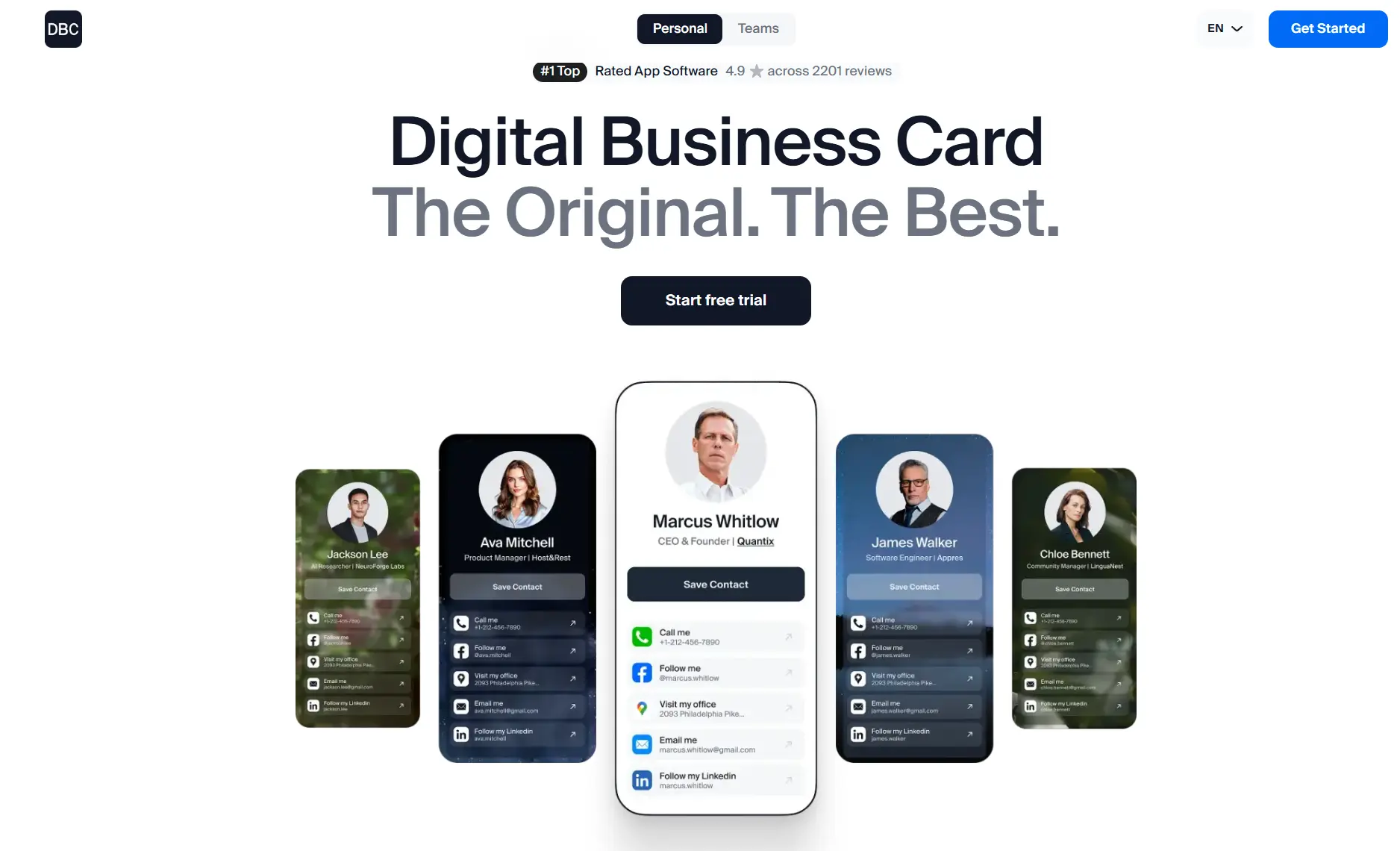
DBC is built around a unique design, instant sharing, lead capture, and helpful analytics. DBC positions itself as a comprehensive networking tool that helps individuals and teams turn business meetings into measurable outcomes.
The platform is widely recognized for its ease of use, elegant design templates, and insights without the hidden costs or usage-based fees found in many competing platforms.
Where DBC Outperforms Popl and Linq
Here are the main reasons why it’s better to choose DBC: Digital Business Card over Popl or Linq
1. DBC Onboards Enterprise Teams Faster Than Popl and Linq
DBC focuses on easy onboarding, as we know teams and individuals need a mechanism that works quickly and requires no manual steps. We developed our platform over the years to build a system that lets you assign cards in bulk, automatically provision new hires, and scale without HR chasing employees or admins manually inviting people one by one.
As reviews show, Popl can be powerful, but rolling it out across departments often turns into a lengthy setup. Linq is easier for individuals, but less structured for enterprise onboarding.
2. DBC Makes Team Management Work Like a Real Organization
Popl and Linq both support teams, but many platforms still treat enterprise users as one long list. That is not how companies operate. DBC adapts to your org structure. You can group people by departments, manage access, and keep the system predictable even when you scale from hundreds to thousands of employees.
3. DBC Delivers a Stronger Brand Experience Than Popl and Linq
For enterprises, a digital business card is not a profile page. It is part of the brand. Popl and Linq offer customization, but much of it still feels very simple and generic. DBC invests heavily in design quality, visual presentation, and the overall experience. The result is cards that give you the feeling of opening doors and stepping up inside the company.
4. DBC Makes Complex Admin Work Feel Simple
DBC was built to make advanced workflows feel effortless. Admins get practical tools like powerful filters and structured navigation that help them find the right employees instantly, manage large directories without chaos, and make changes quickly without digging through endless menus.
5. DBC Tracks Event Performance at a Level Popl and Linq Do Not Match
Popl is strong for event lead capture, but enterprise teams often struggle to turn that activity into structured performance insight. Linq can capture and organize contacts, but event analytics are not its core strength.
DBC was built to connect every contact with the right employee and the right context, so managers can see who shares cards, who generates leads, and where engagement happens. Instead of scattered dashboards and basic counters, DBC keeps performance data structured, searchable, and easy to review at scale.
Conclusion
If you are wondering what to choose, Popl or Linq, I have an answer for you. Choose the platform that best fits your company for networking, team management, onboarding, and performance tracking.
First, it is important to note that every product has its own pros and cons. That is why we recommend taking a closer look at the Digital Business Cards for Companies page to see what our platform offers and compare it firsthand with the fighters featured in today’s article.
But remember, the right digital business card solution integrates well with business workflows, connects with other systems, does not force you to pay more over time, does not hide essential features behind extra costs, and has clear positioning instead of trying to be everything at once.
A true platform supports your team so naturally that over time, it feels like your workflow would not be the same without it.
If you want to explore more products on the market, we also recommend checking our Popl Alternatives Guide. And if you are still considering Popl, take a careful look at Popl Pricing to see whether it could push your costs higher as you scale.
Thank you for reading, and good luck with your networking.
FAQ
Popl vs Linq: Which platform works better for enterprise teams?
What is the difference between Popl and Linq in team workflows?
Are there hidden event or usage fees with Popl or Linq?
Is DBC: Digital Business Card a more balanced solution compared to Popl vs Linq?

A content writer with over 8 years of experience creating analytical content for digital products and B2B SaaS companies. His work focuses on practical guides, pricing breakdowns, and comparisons that help teams evaluate costs, features, and differences between tools.
Your first impression decides everything
- Look professional and build trust instantly
- Forget about reprints and lost contacts
- Update your details anytime
 Get Started Today